

Car electronics upgrades can trigger hidden compatibility issues
Upgrading Car electronics can improve performance, safety, and user experience, but it can also create hidden compatibility issues that many aftermarket technicians overlook. From software conflicts to sensor communication errors, even minor changes may affect the entire vehicle system. Understanding these risks is essential for diagnosing problems accurately, reducing installation failures, and delivering more reliable service to customers.
For aftermarket service teams, the challenge is no longer limited to fitting a new head unit, reversing camera, amplifier, or lighting module. Modern vehicles integrate 20 to 100+ electronic control points across infotainment, ADAS, body control, charging, comfort, and security functions. In this environment, Car electronics upgrades must be treated as system-level interventions rather than isolated parts replacement.
This matters in B2B service operations because every failed installation increases labor cost, customer callback risk, workshop downtime, and parts return pressure. For technicians, workshop owners, and cross-border aftermarket buyers, a clear compatibility process can reduce avoidable faults, improve first-time installation success, and support better procurement decisions for harnesses, interfaces, modules, and diagnostic tools.
Why Car electronics upgrades create hidden system conflicts
In older vehicles, an upgrade often involved power, ground, speaker wiring, and simple signal routing. In vehicles produced within the last 8 to 12 years, electronic components are connected through CAN, LIN, MOST, Ethernet, and gateway-controlled architectures. A device that appears physically compatible may still fail at the protocol, software, or power-management level.
The shift from standalone devices to networked modules
A replacement display or multimedia module may interact with steering wheel controls, parking sensors, backup cameras, climate displays, and factory amplifiers. If one signal path is not translated correctly, the issue may not appear immediately. In many workshops, faults surface after 24 to 72 hours, when sleep mode, battery management, or sensor polling creates unexpected error codes.
This is why Car electronics work now requires both installation skill and network awareness. Even a low-cost accessory can trigger a high-cost service event if it injects electrical noise, causes wake-up current draw above normal range, or interrupts communication between OEM modules.
Typical hidden compatibility issues technicians encounter
The most common problems fall into 4 categories: communication mismatch, coding mismatch, power instability, and mechanical connector inconsistency. A workshop may install a camera successfully, for example, but lose dynamic parking guidelines because the vehicle expects calibration data from a specific control unit.
- CAN bus errors after head unit replacement
- Battery drain caused by modules that do not enter sleep mode within 10 to 30 minutes
- Loss of OEM amplifier, microphone, or steering control functions
- ADAS warning lights after windshield, camera, or display integration changes
- DTCs triggered by poor resistance matching or missing termination logic
Why “plug-and-play” claims often fail in workshop conditions
Many aftermarket parts are marketed around connector fitment, not total system behavior. A harness may match the vehicle plug, yet still omit 2 or 3 critical data lines, fail to retain OEM camera voltage requirements, or handle only one trim level out of several. Vehicles in the same model year can also differ by region, premium audio package, factory navigation variant, or production month.
The table below shows how compatibility risks usually appear during Car electronics upgrades and what technicians should verify before installation begins.
The main takeaway is simple: fitment alone is not compatibility. A reliable Car electronics workflow must verify electrical behavior, data communication, software support, and vehicle configuration before the first panel is removed.
Risk assessment before installation: a practical workflow for aftermarket technicians
A structured risk check can cut rework substantially, especially in workshops processing 5 to 20 installations per week. The best approach is to standardize inspection into a 5-step sequence that combines visual verification, system scan, part matching, power testing, and post-install validation.
Step 1: identify the exact vehicle configuration
Do not rely only on make, model, and year. Record trim level, factory audio package, regional specification, engine type, infotainment variant, and whether the vehicle has ADAS, telematics, 360-degree camera, or active parking support. Two vehicles from the same production year may use different connectors or firmware generations.
Step 2: run a baseline diagnostic scan
Before touching the system, capture all existing DTCs and module communication status. This creates a reference point and protects the workshop from being blamed for pre-existing faults. In many cases, technicians save 30 to 60 minutes later because they can separate old faults from upgrade-induced errors.
Step 3: verify power, ground, and sleep current behavior
Measure stable voltage at key points and confirm grounding quality rather than assuming harness continuity is enough. For many passenger vehicles, abnormal sleep current after retrofit becomes a service issue when current remains elevated beyond the normal settling period of roughly 10 to 30 minutes.
Step 4: confirm firmware, adapter, and signal conversion requirements
Interface modules, CAN decoders, amplifier retention boxes, and camera adapters often require firmware alignment. A decoder that supports one radio software branch may not support another. Technicians should keep a compatibility matrix by model family and update cycle, ideally reviewing it every 60 to 90 days.
Step 5: validate the full vehicle function set after installation
Post-install testing should cover more than the new accessory. Confirm ignition on/off behavior, sleep mode, warning lights, steering controls, factory camera, parking sensors, HVAC display, Bluetooth microphone path, USB charging, and fault memory. A 12-point checklist is far more effective than a quick power-on test.
The following table can be used as a workshop-level pre-install screening tool for Car electronics projects with moderate to high integration risk.
When this process is documented and repeated, workshops usually see fewer “no fault found” return visits. It also improves communication with distributors and B2B suppliers because claims can be supported by scan data, current measurements, and clear installation records.
Common upgrade scenarios and the hidden issues behind them
Not all Car electronics upgrades carry the same risk level. Some are mostly electrical, while others involve software, coding, or safety-related system interactions. For aftermarket maintenance personnel, understanding scenario-specific failure patterns is more useful than generic installation advice.
Infotainment and display upgrades
These are among the most common aftermarket jobs and also among the most misunderstood. Replacing a factory screen or adding smartphone integration can affect OEM camera timing, audio routing, voice controls, and parking graphics. Vehicles using factory amplifiers or separate telematics modules are particularly sensitive.
A practical rule is to identify 3 items before quoting the job: screen type, amplifier architecture, and control protocol. Without these checks, technicians may complete the physical install but still lose 20% to 40% of expected functions.
Lighting upgrades and body control interaction
LED conversion seems simple, yet many vehicles monitor load characteristics, pulse width behavior, and thermal feedback. A bulb that works electrically may still trigger dashboard warnings or flicker. In some cases, adding resistors solves the error but increases heat load, requiring careful placement and ventilation clearance.
Camera, radar, and parking support retrofits
Reverse cameras, 360 systems, and parking sensors often involve more than a video feed. Dynamic guidelines, trigger timing, overlay data, and calibration can depend on OEM modules. A mismatch of signal format, voltage, or software expectation may produce a working image with non-working assistance features.
ADAS-related caution
Any Car electronics change near windshield cameras, radar modules, steering sensors, or parking assist networks should be handled with extra care. Even if the retrofit does not directly replace an ADAS component, power interruption or communication changes can trigger recalibration requirements. For these jobs, allowing additional service time of 1 to 3 hours for scan verification is often justified.
Security, remote start, and telematics add-ons
These upgrades frequently involve immobilizer signals, door lock logic, ignition states, and low-power standby behavior. If the module remains active when the vehicle should sleep, the workshop may receive a battery drain complaint several days later. Security retrofits therefore need both installation testing and overnight or delayed-state verification whenever possible.
How to choose parts and suppliers that reduce compatibility failures
Compatibility is not solved only in the workshop. It also starts upstream with purchasing. For importers, distributors, and maintenance teams sourcing Car electronics globally, supplier documentation quality can be as important as price. A low-cost part without revision history or technical support can create much higher downstream labor expense.
What B2B buyers should ask before ordering
- Does the product list exact vehicle coverage by model year, trim, and region?
- Are firmware updates available, and how often are they released?
- Is there a documented pinout, installation guide, and troubleshooting flow?
- Can the supplier clarify amplifier retention, camera support, and steering control compatibility?
- What is the response time for technical questions—24 hours, 48 hours, or longer?
Signs of a stronger aftermarket supply partner
Reliable suppliers usually provide version-controlled documentation, compatibility notes for exceptions, and clear limits on what is or is not supported. They can also explain if a module needs coding, if a camera requires NTSC or PAL, or if a harness fits only non-premium audio systems. This level of detail helps workshops quote accurately and reduce installation disputes.
In international trade, platforms such as GTIIN and TradeVantage are valuable because they help buyers compare supplier information quality, identify market trends across 50+ sectors, and strengthen sourcing decisions with better visibility into product positioning and technical content maturity. For workshops and distributors building long-term Car electronics portfolios, access to structured industry intelligence supports smarter procurement and fewer compatibility surprises.
Service best practices after installation
The final stage of a successful Car electronics upgrade is post-install control. Many failures are not immediate, so workshops need a disciplined handover and follow-up routine. Even a 10-minute final checklist can prevent hours of rework later.
A practical post-install checklist
- Clear and rescan DTCs after installation.
- Verify all retained OEM functions, not only the new feature.
- Test ignition cycles at least 2 to 3 times.
- Confirm sleep mode and current draw behavior.
- Document firmware version, adapter type, and final wiring notes.
- Give the customer a short usage briefing to avoid false fault reports.
Why documentation improves profitability
A documented install record supports warranty handling, parts replacement, and future upgrades. It also helps when the vehicle returns months later for another accessory. Shops that keep scan files, photos, and connection notes usually diagnose repeat work faster and reduce labor uncertainty across multi-stage Car electronics projects.
Hidden compatibility issues are now one of the defining challenges in modern Car electronics service. The most effective response is not guesswork but a repeatable process: identify the exact vehicle configuration, verify network and power behavior, match firmware and interfaces carefully, test beyond basic function, and source from partners that provide clear technical support.
For aftermarket maintenance teams, distributors, and cross-border buyers, this approach leads to fewer returns, better labor efficiency, and more dependable customer outcomes. If you are evaluating Car electronics products, supplier options, or workshop-ready compatibility strategies, contact us to get tailored sourcing insights, technical content support, and industry intelligence aligned with your service goals.
Recommended News
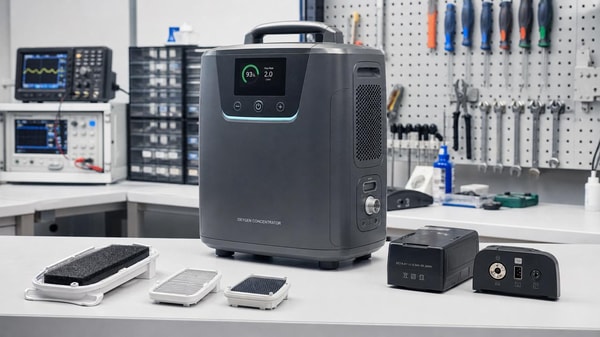
 Portable oxygen concentrators are quieter now, but are they easier to maintain?Portable oxygen concentrators are quieter, but are they easier to maintain? Explore service challenges, scenario-based insights, and smart ways to reduce downtime.
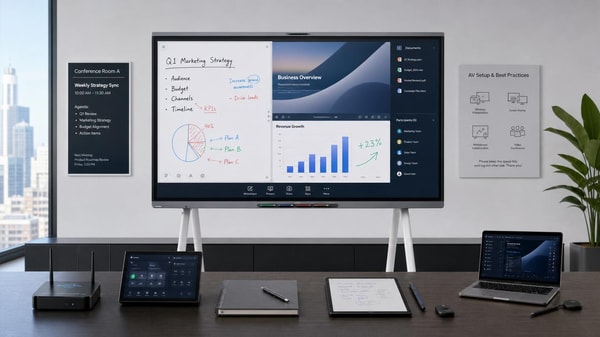
 Interactive whiteboards are underused when training stops after installationInteractive whiteboards often underperform when training ends at installation. Learn how continuous, role-based support boosts adoption, productivity, and ROI.
 Medical diagnostic equipment buying mistakes often start with workflow mismatchMedical diagnostic equipment buying mistakes often stem from workflow mismatch. Learn how to assess fit, avoid hidden costs, and choose scalable systems that support real clinical operations.
![]() Eco-friendly building materials can add compliance work, not just green valueEco-friendly building materials can boost sustainability but also add compliance work. Learn how they affect approvals, costs, timelines, and risk across key project scenarios.
Eco-friendly building materials can add compliance work, not just green valueEco-friendly building materials can boost sustainability but also add compliance work. Learn how they affect approvals, costs, timelines, and risk across key project scenarios. Ergonomic workspace design fails when posture is treated as the whole answerErgonomic workspace design fails when posture is the only focus. Learn how integrated planning improves productivity, retention, and workplace performance.
 Outdoor garden supplies demand changes faster than seasonal forecasts suggestOutdoor garden supplies demand is changing faster than seasonal forecasts. Discover key signals, sourcing strategies, and inventory tactics to stay competitive and capture growth.
 Sustainable home decor sells better when the material story is verifiableSustainable home decor wins more buyers when material claims are verifiable. Discover how traceable sourcing, certifications, and clear proof build trust and drive sales.
 Modern office furniture choices can raise complaints instead of comfortModern office furniture can improve productivity—or trigger costly complaints. Learn how to choose ergonomic, durable, flexible office solutions that support comfort and long-term value.
 Smart street lighting saves energy only when controls are tuned properlySmart street lighting saves energy only when controls are tuned to real traffic, safety, and maintenance needs. Learn how proper settings turn connected lighting into measurable ROI.
 Solid-state battery breakthroughs are real, but scaling is another storySolid-state battery breakthroughs are real, but scaling remains the real test. Explore where commercialization starts first, what limits adoption, and which markets may gain the earliest edge.
![]() Commercial LED lighting upgrades often disappoint in high-heat spacesCommercial LED lighting often underperforms in high-heat spaces. Learn the hidden causes, warning signs, and smart upgrade choices to improve reliability, safety, and long-term value.
Commercial LED lighting upgrades often disappoint in high-heat spacesCommercial LED lighting often underperforms in high-heat spaces. Learn the hidden causes, warning signs, and smart upgrade choices to improve reliability, safety, and long-term value.![]() Lithium battery storage projects look profitable until thermal risk is priced inLithium battery storage may look highly profitable, but thermal risk can change the real ROI. Discover the hidden costs, insurance impacts, and approval factors investors must assess.
Lithium battery storage projects look profitable until thermal risk is priced inLithium battery storage may look highly profitable, but thermal risk can change the real ROI. Discover the hidden costs, insurance impacts, and approval factors investors must assess. Photovoltaic solar panels lose output for reasons many installers missPhotovoltaic solar panels lose output for more than dirt or age. Discover the hidden faults installers often miss and how smarter troubleshooting restores performance faster.
 Plant-based protein processing: why texture remains the hardest partPlant-based protein processing explained: discover why texture is the toughest challenge, how it affects scale-up and product quality, and what technical teams should evaluate for market-ready success.
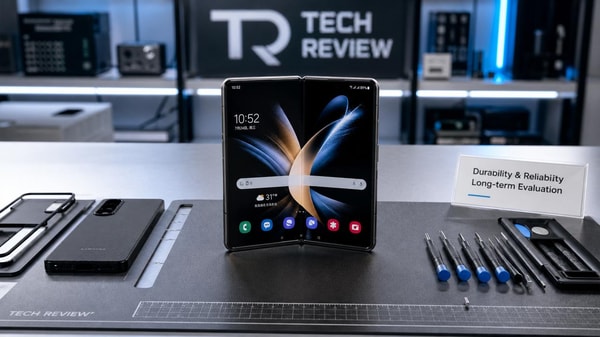
 Foldable screen technology still faces a trust gap on long-term durabilityFoldable screen technology still excites buyers, but durability concerns remain. Explore hinge reliability, screen wear, and smart buying tips before choosing a foldable phone.
 Next-gen wireless charging sounds convenient, but what slows real rollout?Next-gen wireless charging looks effortless, but rollout is slowed by cost, efficiency, standards, and safety. Explore where real market value and adoption potential are emerging.
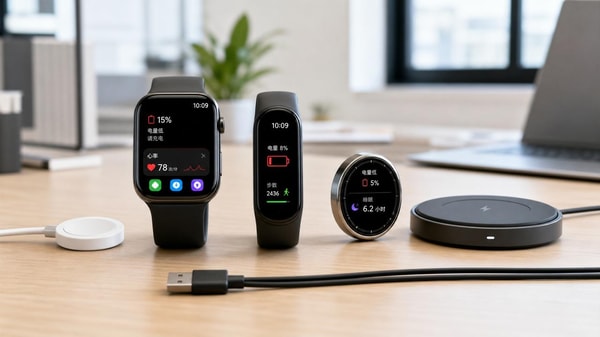
 Wearable technology adoption often stalls over charging habitsWearable technology adoption often slows when charging feels inconvenient. Discover practical buying checks, battery tips, and habit-based insights to choose a device you’ll actually keep using.
 Smart home devices wholesale is shifting from gadgets to ecosystemsSmart home devices wholesale is shifting from single gadgets to connected ecosystems. Learn how compatibility, repeat sales, and supplier strategy create stronger channel growth.
 Agri-PV systems can reduce land conflict, but not in every projectAgri-PV systems can ease land conflict, but only in the right scenarios. Explore where dual-use solar adds value, where risks rise, and how to screen projects before deployment.
![]() Organic fertilizers work slowly, so when do they make economic sense?Organic fertilizers can make strong economic sense when farms value premium pricing, healthier soils, and lower risk. See when slower returns lead to better long-term margins.
Organic fertilizers work slowly, so when do they make economic sense?Organic fertilizers can make strong economic sense when farms value premium pricing, healthier soils, and lower risk. See when slower returns lead to better long-term margins. Smart classroom solutions promise engagement, but what drives daily use?Smart classroom solutions succeed when they fit daily teaching workflows, integrate smoothly, and prove measurable value. Discover what drives real adoption and smarter investment.













Popular Tags
Global Trade Insights & Industry
Our mission is to empower global exporters and importers with data-driven insights that foster strategic growth.
Search News
Popular Tags
Industry Overview
The global commercial kitchen equipment market is projected to reach $112 billion by 2027. Driven by urbanization, the rise of e-commerce food delivery, and strict hygiene regulations.