

Which Smart Home Automation Devices Are Easiest to Use?
Choosing smart home automation devices shouldn’t feel complicated. For buyers, operators, and decision-makers comparing ease of use, setup, and compatibility, this guide breaks down the most user-friendly smart home automation devices available today. Backed by the perspective of a global business intelligence platform and online trade platform, it helps you identify practical solutions that improve convenience, support home improvement tools integration, and simplify modern living.
In B2B and channel-oriented evaluation, ease of use is not a soft feature. It directly affects installation time, support costs, return rates, onboarding speed, and long-term customer satisfaction. For distributors, sourcing teams, project managers, and technical evaluators, the most practical smart home automation devices are usually those that can be deployed in 15–60 minutes, managed through a clear mobile app, and integrated with 2–4 major ecosystems without custom coding.
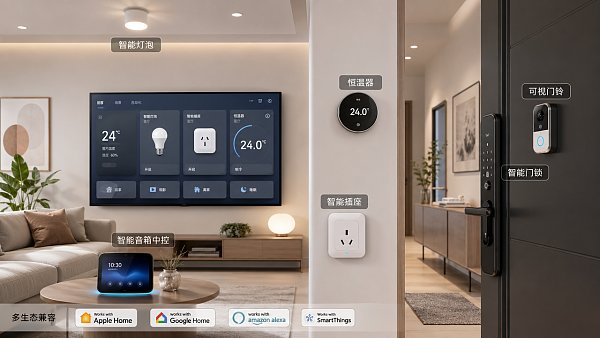
This article focuses on device categories that consistently perform well in real-world use: smart speakers and hubs, lighting controls, smart plugs, thermostats, video doorbells, and smart locks. Rather than chasing advanced features, the emphasis here is on low setup friction, reliable daily operation, and procurement value across household, rental, retail display, and light project scenarios.
What Makes a Smart Home Device Easy to Use?
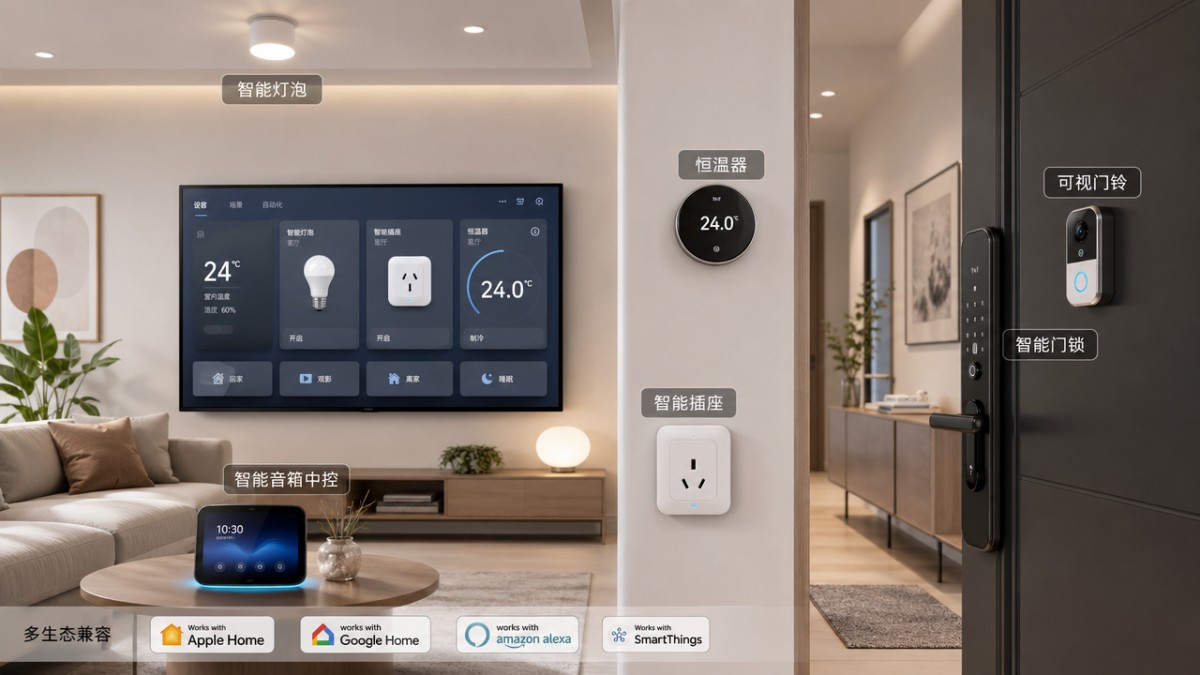
Ease of use in smart home automation is usually determined by 5 core factors: installation complexity, app usability, device pairing speed, ecosystem compatibility, and maintenance requirements. A device may offer strong technical specifications, but if setup takes more than 45 minutes or requires a specialist for a basic residential environment, many buyers will rate it as difficult to use.
For operators and end users, the first 10 minutes matter most. Devices that support QR-code onboarding, Bluetooth-assisted pairing, or one-tap Wi-Fi provisioning typically reduce user error. In many sourcing assessments, a device that can be connected in 3–5 guided steps performs better in adoption than one needing manual network configuration, firmware preparation, and separate account linking.
Compatibility is another critical issue. The easiest smart home automation devices usually work with at least 2 or 3 common ecosystems such as Google Home, Amazon Alexa, Apple Home, or Matter-enabled platforms. Broader compatibility lowers support pressure for dealers and avoids inventory risk for distributors serving multiple consumer preference profiles across regions.
From a procurement perspective, ease of use also includes packaging clarity, reset procedures, and after-sales burden. Devices with clear visual instructions, standardized voltage support, and simple factory reset methods can reduce technical support tickets by a noticeable margin. This is particularly valuable in cross-border distribution where language support and remote troubleshooting may add extra cost.
Five practical evaluation criteria
- Setup time: ideally 15–30 minutes for first-time installation in a standard home environment.
- Interface clarity: the app should allow key actions within 2–3 taps, not deep menu navigation.
- Automation simplicity: creating a routine should require no more than 4–6 steps.
- Compatibility range: support for major voice assistants and common wireless standards is preferred.
- Maintenance load: firmware updates, battery replacement, and reconnection should be straightforward.
The table below summarizes a practical ease-of-use framework that technical evaluators and procurement teams can apply when comparing device categories.
The key takeaway is simple: the easiest smart home automation devices are not necessarily the most feature-rich. They are the ones that shorten the path from unboxing to reliable daily use while remaining compatible with common home improvement tools and connected living workflows.
The Easiest Smart Home Automation Devices by Category
Among mainstream categories, smart plugs and smart bulbs are generally the easiest entry points. Most units require no wiring changes, and setup can often be completed in 5–15 minutes. For first-time users, these devices provide immediate value through remote on/off control, timers, and simple automation without structural modification to the property.
Smart speakers and compact hubs also rank high for usability because they centralize voice control and routine management. In many households, adding one voice-enabled hub can simplify management of 5–20 connected devices. For procurement teams building bundled offers, this category often improves user retention because it gives customers one familiar control point instead of multiple fragmented apps.
Smart thermostats are slightly more complex because they may require HVAC compatibility checks and basic wiring awareness. However, once installed, they remain one of the easiest devices to use daily. A well-designed thermostat delivers clear temperature scheduling, energy tracking, and occupancy-based automation, typically within a 7-day learning or setup cycle.
Video doorbells and smart locks sit in the middle of the usability scale. Their interfaces are often intuitive, but physical installation can take 30–90 minutes depending on door type, power source, and mounting surface. Even so, they remain highly attractive for users prioritizing convenience, entry management, and basic home security without a full surveillance system.
Device categories ranked by usability
The comparison below highlights typical ease-of-use differences that matter in channel sales, sourcing, and operational deployment.
For first-phase deployment, many experienced buyers start with 3 product types: smart plugs, smart bulbs, and a hub or speaker. This combination keeps onboarding simple, demonstrates visible value quickly, and reduces the risk of compatibility issues during pilot rollout.
Best-fit use cases
- Rental units: smart plugs and bulbs because they are easy to replace and require minimal structural work.
- Owner-occupied homes: thermostats, locks, and doorbells where longer-term control and convenience justify more setup time.
- Retail or showroom demos: smart speakers plus lighting automation for fast, visible product demonstrations.
- Distributor starter bundles: 3–5 easy-install products that create a lower support burden in early-stage sales.
How Buyers and Technical Teams Should Evaluate Usability Before Purchase
For procurement professionals and technical evaluators, ease of use should be verified before volume purchasing. A device that appears simple in marketing materials may still create friction due to regional voltage variations, router dependency, app localization gaps, or limited support for common smart home automation standards. A short test cycle of 7–14 days is often enough to identify these issues.
One effective method is to assess the complete user journey: unboxing, physical installation, network pairing, firmware update, app registration, routine creation, and reset. If any of these stages requires specialist intervention for a mainstream user profile, the product may not be ideal for large-scale resale or bundled distribution. For channel partners, every extra support step can increase cost per sale.
It is also important to check how the device behaves under common operating conditions. For example, can it reconnect after a power cycle in less than 2 minutes? Does the mobile app show offline status clearly? Can one administrator share access with 2–6 additional household users without confusion? These details strongly influence customer satisfaction and long-term product reputation.
From a business perspective, packaging consistency and documentation quality should not be overlooked. Clear labeling, multilingual quick-start guidance, and standardized accessory inclusion can improve deployment speed in both e-commerce and wholesale distribution. For quality control managers, the simpler the installation path, the easier it becomes to reduce return claims tied to misunderstanding rather than actual product failure.
A practical pre-purchase checklist
- Confirm wireless standard support such as Wi-Fi, Bluetooth, Zigbee, Thread, or Matter relevance to your target market.
- Test setup with a non-technical user and measure whether installation stays within 15–45 minutes.
- Review app flow and count the number of steps needed to create 1 routine and 1 shared-user permission.
- Check reset and recovery steps after internet loss, router replacement, or battery depletion.
- Verify after-sales factors: manuals, language coverage, firmware update path, and replacement parts availability.
The table below can be used by sourcing teams, project leaders, and distributors as a compact usability scoring tool.
When evaluating smart home automation devices at scale, a simple product that performs consistently is often more valuable than a feature-heavy product that increases onboarding friction. That principle is especially relevant for importers, resellers, and project teams focused on customer experience and repeat sales.
Common Implementation Risks and How to Avoid Them
The most common mistake in smart home automation procurement is assuming that all “easy setup” devices will work equally well across every network and property type. In practice, Wi-Fi coverage, router generation, wall material, and power stability can all affect performance. A device that works smoothly in a 90-square-meter apartment may require different planning in a multi-floor house or light commercial environment.
Another risk is overcomplicating the first deployment phase. Buyers sometimes combine 6–8 device categories at once, which can create app fragmentation and confusion during onboarding. A phased approach is usually safer: start with lighting, plug control, and one central assistant, then expand to locks, cameras, and climate control after the first 30 days of stable use.
Battery-dependent devices such as locks, sensors, and some doorbells require maintenance planning. If the replacement cycle is every 6–12 months, buyers should confirm battery type availability and low-battery alert behavior. For quality and safety managers, this matters because poor battery maintenance can appear to users as device unreliability rather than a routine service need.
Data privacy and user access control should also be reviewed. An easy-to-use device should still allow role-based sharing, password changes, and account recovery. In households with 3–6 users, or in managed rental settings, weak access control can become a serious usability issue because it complicates handover, revocation, and daily accountability.
Risk reduction steps
- Run a pilot with 3–5 devices before scaling to a full room or property deployment.
- Prioritize one ecosystem to reduce duplicate apps and conflicting automation rules.
- Document reset procedures and battery schedules during the first installation.
- Verify offline behavior, alert reliability, and user-sharing workflows before resale.
- Keep installation bundles aligned with the target user’s technical comfort level.
Typical misconceptions
A frequent misconception is that smart locks or thermostats are difficult to use because they are harder to install. In reality, installation complexity and daily usability are different. Some products take 45–60 minutes to mount but then remain highly intuitive for years. Buyers should separate setup difficulty from long-term user convenience when making decisions.
Another misconception is that adding more automation always improves value. In many households, 3 well-designed routines are more effective than 20 underused automations. Practical routines such as “away mode,” “night lighting,” and “morning climate start” often provide the best balance between ease of use and visible benefit.
FAQ and Selection Guidance for B2B Buyers
For buyers working across distribution, sourcing, project delivery, or technical review, the most useful smart home automation decisions are usually based on simplicity, compatibility, and serviceability. The questions below address common search intent and practical evaluation concerns.
Which smart home automation devices are best for beginners?
Smart plugs, smart bulbs, and voice-enabled hubs are the easiest starting point. They often require no structural changes, can be installed in 5–20 minutes, and provide immediate control benefits. For channel sales, these products are also easier to explain, demonstrate, and support after purchase.
Are smart locks and video doorbells difficult to manage?
They are usually moderate in installation complexity but simple in daily operation. Most users adapt quickly to app-based unlocking, notifications, and guest access. The key procurement checkpoint is physical fit, power source, and network coverage near the entry point rather than app complexity alone.
How many devices should be included in a first deployment?
For a low-risk rollout, 3–5 devices are usually enough to validate compatibility and user acceptance. A small starter deployment can reveal setup issues, network blind spots, and app usability gaps before a larger order is placed. This approach is especially useful for distributors testing a new line or project managers planning model-room demonstrations.
What should procurement teams prioritize besides price?
Support burden, ecosystem fit, instruction quality, and return risk should rank alongside unit cost. A lower-priced product may create higher post-sale expense if setup is confusing or compatibility is narrow. In practical sourcing, total operating value across 12 months is often more important than the initial invoice alone.
The easiest smart home automation devices are those that balance fast setup, intuitive control, and reliable compatibility. For most users and B2B buyers, smart plugs, smart bulbs, hubs, and selected thermostats lead the field because they lower training time, reduce support friction, and integrate well with modern connected living environments. If you are evaluating products for sourcing, distribution, or project deployment, GTIIN and TradeVantage can help you identify practical market-ready solutions, compare supplier positioning, and refine your selection strategy. Contact us to explore tailored smart home sourcing insights, product research, and broader home improvement technology opportunities.
Recommended News
 IMDG Code 41-24 Enforces UN3480 Class 9 Labeling for Lithium Battery Sea FreightIMDG Code 41-24 mandates UN3480 lithium battery sea freight to display durable Class 9 labels from April 27, 2026—avoid delays & port rejections.
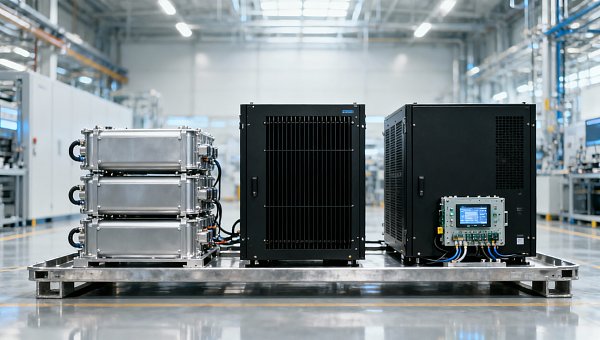
 ESS Key Component Prices Drop ~80%: Quality & Compliance RiseESS key component prices dropped ~80%—but quality & compliance demands surged. Discover how UL 9540A, AS/NZS 5139, and certified BMS/inverters now define market access.
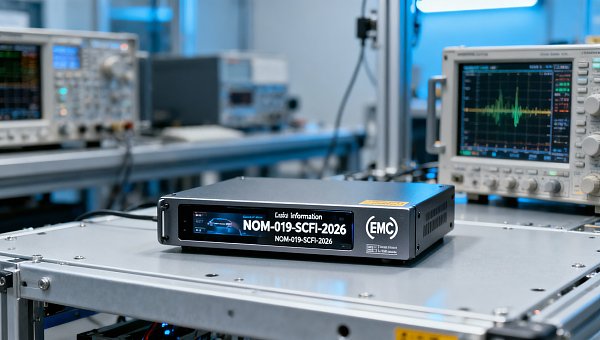
 Mexico NOM-019-SCFI-2026 Effective July 2026: EMC Certification Mandatory for Auto ElectronicsMexico NOM-019-SCFI-2026 mandates EMC certification for auto electronics from July 2026 — ensure compliance now to avoid supply chain disruption & customs delays.
 Red Sea Rerouting Normalized, ECA Surcharge Hits $1,850/TEURed Sea rerouting normalized: ECA surcharge hits $1,850/TEU — 47% of total freight cost. Impacting hand tools, building materials & furniture exporters to Europe. Act now.
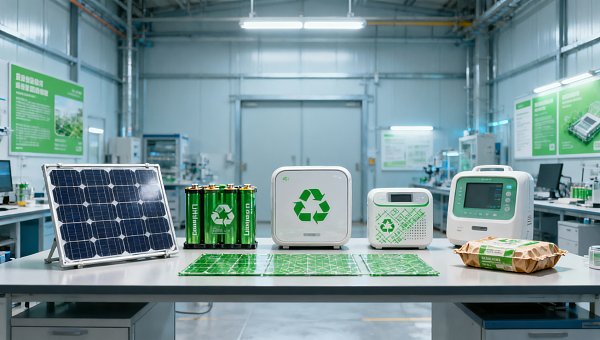
 RCEP Green Packaging Mutual Recognition Takes EffectRCEP Green Packaging Mutual Recognition is live—GB/T 37537-2025–certified packaging now enjoys fast-track clearance in Australia, NZ, Japan & Korea. Save time, cut costs, and boost export efficiency.
 Vietnam Suspends SASO Mutual Recognition for Chinese Irrigation EquipmentVietnam suspends SASO mutual recognition for Chinese irrigation equipment—drip tapes, PE fittings, auto valves now require VINAQ-IR certification. Act now to avoid delays & customs hold.
 Key Energy Storage Equipment Prices Drop ~80% in ChinaKey energy storage equipment prices in China dropped ~80% — PCS, BMS & liquid cooling units. Discover implications for compliance, margins & standards enforcement.
") China Releases Green Design Guidelines for Industrial Products (2026)China's 2026 Green Design Guidelines for industrial products—covering PV modules, lithium batteries & smart appliances—link eco-design to green factory certification and export tax rebates starting 2027.
China Releases Green Design Guidelines for Industrial Products (2026)China's 2026 Green Design Guidelines for industrial products—covering PV modules, lithium batteries & smart appliances—link eco-design to green factory certification and export tax rebates starting 2027. Mexico NOM-019-SCFI-2026 Effective: Automotive Electronics Require New EMC CertificationMexico NOM-019-SCFI-2026 is live: Automotive electronics (infotainment, ADAS, domain controllers) now require mandatory EMC certification by July 31, 2026 — act now to avoid customs delays.
 Red Sea Detour Premium Rises to $1,850/TEU Amid Port Congestion ReliefRed Sea Detour Premium hits $1,850/TEU — now 43% of FE–NE freight rates. Discover why this structural surcharge demands urgent supply chain action.
 TÜV Rheinland Updates PLd Certification: EMC Immunity Now Mandatory for Servo DrivesTÜV Rheinland now mandates EN IEC 61000-6-2:2024 EMC immunity testing for PLd certification of servo drives—act before May 26, 2026 to avoid EU market delays.
 RCEP Green Packaging Mutual Recognition Effective Apr 26, 2026RCEP Green Packaging Mutual Recognition takes effect Apr 26, 2026—unlock faster customs clearance & cost savings for eco-friendly packaging exporters to AU, NZ, JP, KR.
 FDA Final Rule: AI Diagnostic Devices Must Submit Bias Impact ReportsFDA mandates AI diagnostic devices submit third-party-verified bias impact reports—key for 510(k)/De Novo submissions. Act now to ensure compliance & market access.
 Vietnam Suspends SASO Mutual Recognition for Chinese Irrigation EquipmentVietnam suspends SASO mutual recognition for Chinese irrigation equipment—urgent QCVN certification now required for drip tapes, sprinklers, valves & smart controllers.
 SABER Phase II Launch: Building Hardware Must Submit Digital Type Test Reports & PIDSABER Phase II now requires digital type test reports & PID for building hardware — fasteners, door/window, bathroom fixtures. Avoid port rejection: ensure PID-bound compliance before shipment.
 IMDG Code 41-24 Enforced: UN3480 Lithium Batteries Require Class 9 LabelsUN3480 lithium batteries now require ISO 7225-compliant Class 9 labels under IMDG Code 41-24 — enforceable globally from 26 April 2026. Act now to avoid shipment delays!
 How to Compare an Online Trade Platform Before Signing Up?Compare an online trade platform with confidence—evaluate data quality, supplier trust, market insights, and search tools for smarter sourcing across cement price, MRI scanners cost, and more.
 Which Smart Home Automation Devices Are Easiest to Use?Smart home automation devices made simple: compare easy-to-use smart home automation devices, home improvement tools integration, and buyer tips from a business intelligence platform.
 Are Auto Detailing Services Worth the Cost?Auto detailing services: discover if the cost is justified, how pricing varies, and how a business intelligence platform helps buyers compare value, quality, and long-term ROI.
 What Makes Sustainable Fashion Brands Worth Buying?Sustainable fashion brands deliver transparency, quality, and lower risk. See how a business intelligence platform helps buyers verify value, avoid greenwashing, and source smarter.
 How to Choose a Business Intelligence Platform in 2026?Business intelligence platform selection in 2026: compare data coverage, pricing insights, online trade platform signals, Cement price trends, and MRI scanners cost to choose smarter, faster.









Popular Tags
Global Trade Insights & Industry
Our mission is to empower global exporters and importers with data-driven insights that foster strategic growth.
Search News
Popular Tags
Industry Overview
The global commercial kitchen equipment market is projected to reach $112 billion by 2027. Driven by urbanization, the rise of e-commerce food delivery, and strict hygiene regulations.