

Ergonomic workspace design fixes discomfort, but not every layout problem
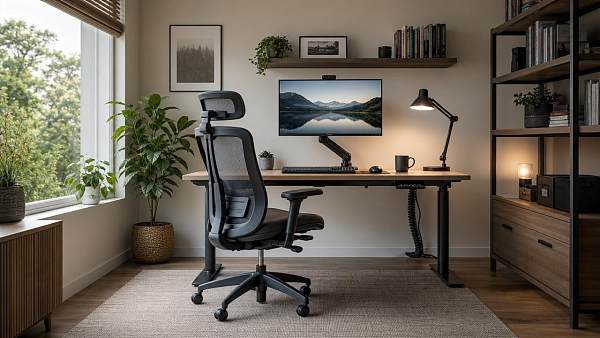
Ergonomic workspace design can ease daily strain, improve focus, and make long hours at a desk more manageable. Still, comfort issues are not always solved by a better chair or desk setup alone. From room size to workflow habits, many factors shape how effective a workspace truly feels. Understanding where ergonomic changes help—and where layout challenges remain—can lead to smarter, more practical decisions.
For consumers comparing home office products, study-room furniture, or hybrid-work upgrades, that distinction matters. A desk with a 65–75 cm working height, a monitor arm with 10–30 cm adjustment range, or a chair with 3–5 support settings can reduce common discomfort. Yet even a well-specified setup may underperform if the room is narrow, cables are unmanaged, lighting is poor, or daily tasks require frequent awkward movement.
This is where a broader view of Ergonomic workspace design becomes useful. Instead of treating comfort as a single-product decision, it helps to evaluate layout, movement patterns, storage placement, device positioning, and the realistic limits of the space. For end users, that means buying more intelligently and avoiding upgrades that look premium on paper but do not solve the real problem.
What Ergonomic Workspace Design Solves Well
At its best, Ergonomic workspace design addresses physical strain that builds up over 4–8 hours of daily desk use. It improves alignment between the body, the work surface, and the tools used most often. This includes reducing neck rotation, lowering wrist extension, supporting the lower back, and keeping frequently used items within an easy reach zone of roughly 30–45 cm.
Core gains from a better setup
Most users notice the first benefits in three areas: less end-of-day fatigue, fewer pressure points, and smoother task flow. A monitor placed near eye level, for example, can cut the need for repeated downward bending. A keyboard tray or properly matched desk height can reduce shoulder lift and wrist tension. Even a footrest with a height range of 5–15 cm may help shorter users maintain a steadier seated posture.
- Better posture support during 2–6 hour focused work sessions
- Improved reach efficiency for keyboards, notebooks, and charging devices
- Reduced clutter that interferes with concentration and movement
- More consistent visual comfort when lighting and screen position are aligned
Common elements that make a measurable difference
Consumers often assume the chair matters most, but the working system is usually more important than any single item. Seat depth, lumbar support, monitor height, desktop depth, and under-desk clearance all interact. A desk depth of 60–80 cm is often more practical than a shallow compact desk because it supports healthier screen distance and leaves room for writing, docking devices, or secondary tools.
The table below shows how typical ergonomic components contribute to comfort, along with the limits users should keep in mind before purchasing.
The key takeaway is that ergonomic products work best when they fit the user and the room at the same time. Buying a high-end chair while keeping a monitor too low or storing daily-use devices behind the body often leaves the original discomfort only partially improved.
Where consumers often see quick wins
Small adjustments before large purchases
Before replacing every item, it is often worth testing 4 basic corrections: raise the screen, bring the keyboard closer, clear knee space under the desk, and reposition the primary light source. In many homes, these low-cost changes improve daily comfort within 1–3 days and reveal whether the issue is product-related or layout-related.
Why Layout Problems Still Remain
Ergonomic workspace design is not the same as full spatial planning. A setup may be ergonomically sound at the desk surface while still failing in movement, access, storage, or shared-room use. This is especially common in apartments, multi-purpose bedrooms, compact study corners, and hybrid family spaces where the workstation must coexist with other functions.
Space constraints change what is realistically possible
If the room only allows 80–100 cm of rear chair clearance, a large reclining chair may be a poor fit even if it offers excellent specifications. If side clearance is under 60 cm, drawers or side cabinets may interrupt movement each time the user enters or exits. In these situations, comfort depends less on premium features and more on matching furniture dimensions to the actual room envelope.
This is why consumers should think in zones: a seated work zone, a reach zone, a storage zone, and a circulation zone. When one zone overlaps too heavily with another, discomfort returns in a different form. A well-designed workstation should let the user sit, stand, turn, and retrieve common items without repeated twisting or obstruction.
Workflow habits can cancel out ergonomic gains
A carefully arranged desk may still underperform if the user spends 70% of the day on a laptop placed off-center, uses a phone between shoulder and ear, or stores documents in a low shelf that requires 20–30 bends per day. Layout problems are often behavioral as much as physical. In practical terms, the best setup is not the one with the most adjustments, but the one that supports repeated real-world tasks without friction.
- Frequent switching between laptop, paper, and second screen without enough surface depth
- Charging cables crossing the main leg zone or wheel path
- Printers or storage boxes placed behind the chair, causing repeated rotation
- Windows creating glare for 2–4 hours of afternoon work
Shared environments create additional trade-offs
Many end users do not have a dedicated office. They work in spaces shared with children, partners, guests, or household storage. In those environments, Ergonomic workspace design has to balance comfort with flexibility, appearance, noise control, and easy reset. A foldable desk may save space but reduce stability. A compact chair may blend visually but compromise support during 6-hour workdays. The right answer is often a compromise, not a perfect workstation.
How to Evaluate a Workspace Before Buying New Furniture
A practical buying decision begins with diagnosis. Instead of asking which chair or desk is most popular, ask which part of the current setup fails first: posture, reach, storage, lighting, or movement. This approach avoids overspending on products that improve one metric while leaving two or three larger constraints untouched.
A 5-step assessment process for consumers
- Measure the available floor area, desk wall, and chair clearance in centimeters.
- Track the top 5 tasks performed daily and the devices used in each task.
- Identify the first discomfort point after 60–90 minutes of work.
- Check whether the issue is caused by height, distance, lighting, or storage placement.
- Prioritize upgrades in order of impact, not in order of product prestige.
Decision factors that matter more than branding alone
In the consumer market, product listings often emphasize aesthetic finish and broad claims of comfort. Those details matter, but dimensions and adjustability matter more. A beautiful desk that is too shallow, or a popular chair with armrests that collide with the desk, can lower usability from day one. The table below can help compare choices more objectively.
This comparison shows why smart purchasing starts with compatibility checks. For many households, the most effective upgrade is not the most expensive item, but the one that resolves the largest daily friction point with the fewest new trade-offs.
When to prioritize layout over equipment
Clear signs the room is the problem
If pain improves slightly after a chair upgrade but focus still drops, items still feel hard to reach, or the room still feels visually crowded, the next step is likely layout correction rather than another furniture purchase. The same applies when users bump into storage units, block doors, or constantly reposition devices for meetings and charging.
Practical Implementation Tips for Different Home and Hybrid Setups
Not every consumer needs a full office build. Many need a realistic Ergonomic workspace design plan for a one-bedroom apartment, a family study area, or a mixed-use guest room. In those cases, success comes from sequencing improvements over 2–3 stages instead of trying to solve everything at once.
For compact spaces under 8 square meters
Choose furniture with clean under-desk clearance, limited side protrusions, and vertical storage. Wall-mounted shelves, slim monitor arms, and mobile pedestals can save floor area. Avoid oversized executive chairs if turning radius is restricted. In small rooms, 1 poorly placed cabinet can create more discomfort than 3 missing premium features.
For hybrid workers using the space 3–5 days per week
Focus on repeatable setup speed. If the workstation must convert between work and personal use, use docking accessories, cable routing, and designated storage for daily devices. Reducing setup and reset time from 15 minutes to 5 minutes can make the difference between using the space consistently and abandoning good habits after a few weeks.
For shared family environments
Durability and flexibility become more important. Surfaces should tolerate frequent cleaning, chairs should be easy to reposition, and accessories should not create trip hazards. Where multiple people use the same station, simpler adjustment systems are often better than highly technical controls that no one reconfigures correctly.
Common mistakes to avoid
- Buying based on showroom appearance without measuring the actual room
- Using a dining chair for 5+ hour work sessions
- Placing storage under the main knee zone
- Ignoring lighting and acoustic distractions while focusing only on furniture
- Adding accessories that reduce usable surface area instead of improving it
Ergonomic workspace design works best as part of a complete decision process: measure, observe, adjust, then buy. That process helps consumers avoid fragmented upgrades and builds a workspace that supports comfort, task flow, and long-term usability instead of short-term visual appeal alone.
For readers seeking better product comparisons, market insight, and practical selection guidance across home office and consumer workspace categories, GTIIN and TradeVantage provide a trusted information base for smarter decisions. To explore tailored solutions, compare workspace options, or learn more about practical layout strategies, contact us today and get a more informed path to a workspace that truly fits how you work.
Recommended News
 Portable oxygen concentrators vary more in noise than spec sheets suggestPortable oxygen concentrators may share similar specs, yet real-world noise can vary widely. Learn what decibel ratings miss and choose a quieter, more comfortable model with confidence.
 Interactive whiteboards are easier to buy than to integrate wellInteractive whiteboards are easy to buy, but hard to integrate. Discover how to align workflows, IT, training, and ROI for smarter deployment.
![]() Medical diagnostic equipment upgrades should start with workflow bottlenecksMedical diagnostic equipment upgrades should start with workflow bottlenecks. Discover how targeted investments improve throughput, integration, ROI, and diagnostic efficiency.
Medical diagnostic equipment upgrades should start with workflow bottlenecksMedical diagnostic equipment upgrades should start with workflow bottlenecks. Discover how targeted investments improve throughput, integration, ROI, and diagnostic efficiency.![]() Eco-friendly building materials can raise budgets before they lower themEco-friendly building materials may raise upfront budgets, but they can cut long-term costs, improve compliance, and strengthen asset value. Learn when the premium truly pays off.
Eco-friendly building materials can raise budgets before they lower themEco-friendly building materials may raise upfront budgets, but they can cut long-term costs, improve compliance, and strengthen asset value. Learn when the premium truly pays off. Ergonomic workspace design fixes discomfort, but not every layout problemErgonomic workspace design improves comfort, focus, and buying decisions—but not every layout issue. Learn what upgrades work, what room limits remain, and how to choose smarter.
![]() Outdoor garden supplies demand shifts earlier than many sellers plan forOutdoor garden supplies demand is starting earlier than many sellers expect. Learn what drives the shift and how distributors, wholesalers, and agents can plan smarter to win more sales.
Outdoor garden supplies demand shifts earlier than many sellers plan forOutdoor garden supplies demand is starting earlier than many sellers expect. Learn what drives the shift and how distributors, wholesalers, and agents can plan smarter to win more sales. Sustainable home decor sells better when materials are easy to verifySustainable home decor sells better when material claims are easy to verify. Discover how traceable data, certifications, and clear sourcing build trust and boost B2B sales.
 Modern office furniture trends are changing around hybrid work needsModern office furniture trends are redefining hybrid workplaces with flexible layouts, ergonomic design, and smart tech integration. Discover what drives demand and smarter buying decisions.
 Smart street lighting projects often miss the maintenance sideSmart street lighting projects often overlook maintenance. Learn how diagnostics, spare parts, and scenario-based support improve reliability, reduce downtime, and protect long-term value.
 Solid-state battery breakthroughs are real, but mass rollout is still difficultSolid-state battery breakthroughs are real, but scaling remains difficult. Explore what’s driving progress, what blocks mass rollout, and where commercialization may happen first.
![]() Commercial LED lighting retrofits save money, but not at the same paceCommercial LED lighting can cut costs, but payback varies by warehouse, office, retail, and industrial scenario. Discover how to identify the fastest-return retrofit opportunities.
Commercial LED lighting retrofits save money, but not at the same paceCommercial LED lighting can cut costs, but payback varies by warehouse, office, retail, and industrial scenario. Discover how to identify the fastest-return retrofit opportunities. Lithium battery storage projects fail early when thermal planning is weakLithium battery storage projects fail early when thermal planning is weak. Learn the key checks to improve safety, uptime, compliance, and long-term project returns.
 Photovoltaic solar panels: when higher efficiency is not the better dealPhotovoltaic solar panels are not always best when efficiency is highest. Discover how lifecycle cost, payback, and site conditions can deliver smarter ROI and better sourcing decisions.
 Plant-based protein processing depends more on texture than many expectPlant-based protein processing relies heavily on texture to improve quality, control risk, and boost consistency. Learn how better texture management strengthens compliance and competitiveness.
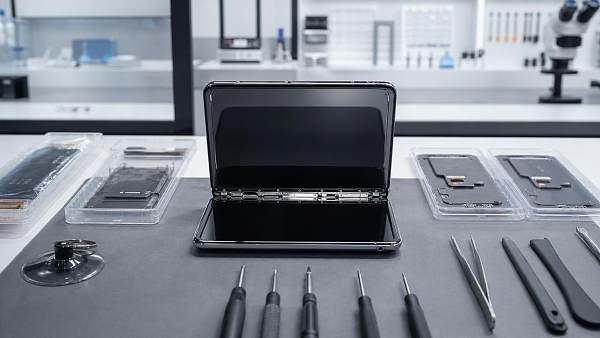
 Foldable screen technology keeps improving, yet repair costs remain a problemFoldable screen technology is getting stronger and smarter, but repair costs still worry buyers. Discover who should buy, key ownership risks, and how to choose wisely.
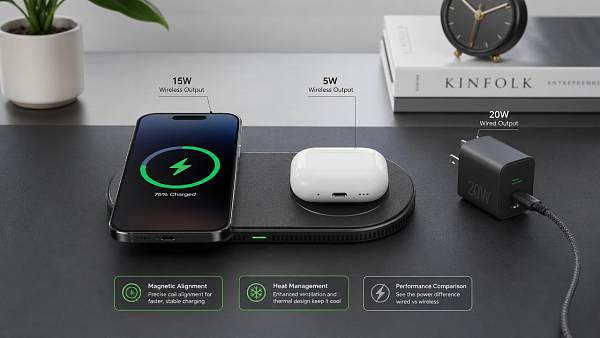
 Next-gen wireless charging sounds convenient, but how efficient is it?Next-gen wireless charging sounds effortless, but how efficient is it in real use? Explore heat, power loss, alignment, and the market factors shaping adoption.
![]() Wearable technology is improving fast, but comfort still decides adoptionWearable technology is evolving fast, but comfort still drives real adoption. Explore how design, fit, battery life, and daily usability shape the wearables consumers truly keep using.
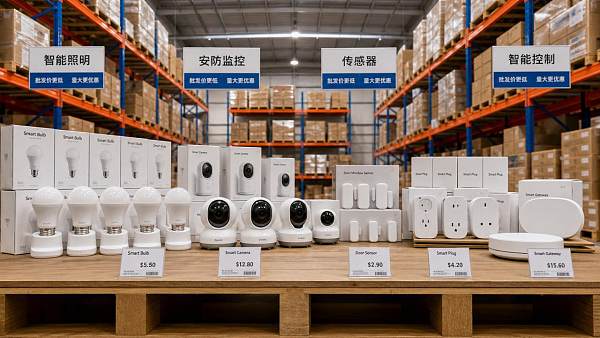
Wearable technology is improving fast, but comfort still decides adoptionWearable technology is evolving fast, but comfort still drives real adoption. Explore how design, fit, battery life, and daily usability shape the wearables consumers truly keep using. Smart home devices wholesale margins shrink faster than many expectSmart home devices wholesale margins are shrinking fast. Learn what causes profit erosion, which categories face price wars, and how distributors can protect growth and improve sourcing decisions.
 Agri-PV systems make sense only when land use goals are clearAgri-PV systems create business value only when land use goals are clearly defined. Discover how aligned energy, farming, and ESG priorities reduce risk and improve returns.
 Organic fertilizers vs synthetic inputs: where does the payoff change?Organic fertilizers vs synthetic inputs: discover where costs, compliance, soil health, and market premiums shift the payoff—and how to choose the smartest long-term strategy.
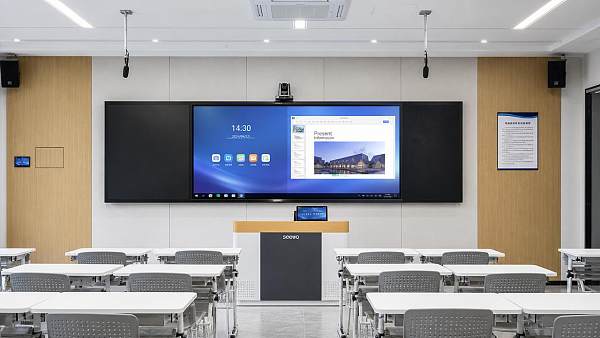
 Smart classroom solutions often underdeliver without teacher-side usabilitySmart classroom solutions often fail when teacher-side usability is ignored. Discover scenario-based insights to improve adoption, reduce friction, and maximize classroom ROI.









Popular Tags
Global Trade Insights & Industry
Our mission is to empower global exporters and importers with data-driven insights that foster strategic growth.
Search News
Popular Tags
Industry Overview
The global commercial kitchen equipment market is projected to reach $112 billion by 2027. Driven by urbanization, the rise of e-commerce food delivery, and strict hygiene regulations.