

Ergonomic workspace design fails when posture is treated as the whole answer
Ergonomic workspace design can reduce strain, but it fails when posture is treated as the whole answer. For operators and everyday users, comfort, safety, and productivity also depend on task flow, equipment layout, movement patterns, lighting, and break habits. Understanding these connected factors is essential for building a workspace that supports real performance instead of relying on posture alone.
Why scenario differences matter more than a single posture rule
Many users hear the same advice: keep your back straight, your wrists neutral, and your screen at eye level. That guidance is helpful, but ergonomic workspace design becomes ineffective when every situation is judged through a static posture checklist. A workstation used for repetitive assembly, a desk used for data entry, and a counter used for packaging all create different demands on the body. The right answer depends on task duration, reach frequency, visual focus, force requirements, and how often the operator must change position.
For practical decision-making, users and operators need to ask a better question: what kind of work happens here, and what physical patterns does it create over time? In one setting, the biggest risk may be shoulder elevation from a high work surface. In another, it may be neck fatigue from poor monitor placement. In a third, the issue may not be posture at all, but the repeated twisting caused by badly placed tools or bins. Good ergonomic workspace design supports the full work cycle, not just the moment when someone sits or stands “correctly.”
Common application scenarios where ergonomic workspace design is judged differently
The same ergonomic standard does not fit all work areas. Below is a practical comparison showing how different scenarios change what users should prioritize.
This is why ergonomic workspace design should always begin with the actual use case. A visually neat workstation can still create fatigue if the task sequence forces unnecessary reaching, rotation, or visual strain. For operators, the goal is not a perfect pose for a photo. It is a workspace that lets real work happen with less stress, fewer interruptions, and better long-term endurance.
Scenario 1: Screen-based workstations need movement as much as alignment
In office, customer support, and data-processing environments, ergonomic workspace design is often reduced to chair settings and monitor height. Those factors matter, but they do not solve the deeper issue of prolonged stillness. A user can sit in technically correct alignment and still develop stiffness in the neck, lower back, and hips when tasks are highly continuous and breaks are rare.
For this scenario, operators should pay attention to how frequently they switch between typing, reading, calling, and referencing documents. If every item needed for the task sits outside the natural reach zone, micro-strain builds quickly. If the monitor is acceptable but glare forces constant head tilt, the design still fails. If the desk height is fixed and the user changes footwear or seating, the original setup may no longer fit.
The better approach is to combine alignment with motion. That means setting up the screen, keyboard, and mouse for neutral use, then building in routine changes of position. A simple pattern such as standing briefly, walking between tasks, or shifting document placement can make ergonomic workspace design more effective than chasing an ideal seated posture all day.
Scenario 2: Assembly and light manufacturing depend on reach, precision, and cycle flow
In assembly, inspection, and bench-based production, posture advice alone often misses the real cause of fatigue. Operators may sit upright or stand balanced, but if parts arrive too high, too low, or too far away, the work cycle becomes physically expensive. Reaching forward hundreds of times per shift creates more cumulative stress than one visibly awkward posture.
Here, ergonomic workspace design should focus on the motion pattern within each cycle. How often are tools picked up? Are both hands used symmetrically or does one side carry most of the load? Does the operator look down constantly for fine work? Is force applied at a comfortable height, or is the user forced to elevate the shoulders?
A practical improvement in this scenario may include angled bins, suspended tools, adjustable benches, foot support, anti-fatigue flooring, or better sequencing of components. These changes reduce wasted motion and support consistency. For users in repetitive production roles, effective ergonomic workspace design is closely tied to output quality because less strain often means fewer errors and more stable performance across long shifts.
Scenario 3: Packing, warehousing, and material handling are driven by layout efficiency
In packing stations, dispatch areas, and light warehouse operations, the biggest ergonomic failures usually come from layout, not posture training. Telling a worker to “lift properly” has limited value if cartons are stored below knee level, labels are printed behind the operator, and finished goods must be turned and stacked across the body. The real issue is workflow geometry.
For these environments, ergonomic workspace design should map the path of materials from incoming to outgoing. The ideal setup reduces bending depth, twisting frequency, and carrying distance. Frequently used supplies should sit within easy reach. Heavy items should remain between knee and chest height whenever possible. The best station is often the one that reduces extra handling steps rather than the one that simply looks organized.
Operators should also assess pace variation. A workspace that feels acceptable during low volume may break down during peak periods, when repetition increases and shortcuts appear. This is why scenario-based ergonomic workspace design must consider normal workload and surge workload, especially in trade, logistics, and fulfillment settings where daily volumes can change rapidly.
Scenario 4: Monitoring, technical review, and control tasks are strongly affected by visual ergonomics
For users who monitor screens, dashboards, cameras, or data panels, visual demands often outweigh basic seating concerns. A chair with many adjustments will not solve neck fatigue if critical displays are placed too high, too low, or too far apart. In these settings, ergonomic workspace design must prioritize viewing angles, brightness control, and information hierarchy.
When operators constantly shift focus between primary and secondary screens, the arrangement should reflect usage frequency. High-priority displays belong directly ahead; less-used panels can sit to the side. Lighting should support contrast without reflections. If an operator leans forward repeatedly to confirm details, the issue may be text size, resolution, or interface design rather than body posture.
This scenario shows that ergonomic workspace design is not only furniture selection. It also includes the relationship between user, interface, and environment. Better visual layout can reduce stress, shorten reaction time, and improve task accuracy.
How to match ergonomic workspace design to your own operating conditions
Users and operators can make better decisions by reviewing a few key conditions before changing equipment or layout. The table below helps turn abstract ergonomic goals into practical checks.
A useful rule is to evaluate the workspace as a system. Start with the task, then the tools, then the user’s movement, and finally the furniture or equipment. That order prevents expensive mistakes such as buying a better chair while leaving the real bottleneck untouched. In many cases, ergonomic workspace design improves most when small layout corrections are made before major purchases.
Common misjudgments that weaken results
One frequent mistake is assuming that pain always comes from visible bad posture. In reality, low-level repetition, poor lighting, static loading, and awkward access paths can be equally important. Another mistake is copying a setup from another department or facility without checking whether task flow is truly similar. Two stations may appear alike but differ greatly in work speed, precision needs, and user height range.
A third error is treating ergonomic workspace design as a one-time fix. Workstations change when volumes increase, new tools are introduced, or responsibilities shift. Without periodic review, yesterday’s acceptable setup can become today’s source of strain. For operators, this means reporting not only discomfort but also repeated motions, visual difficulty, and layout obstacles that slow the job.
Practical FAQ for users and operators
Is a good chair enough for ergonomic workspace design?
No. A good chair helps, but if screens, tools, materials, or workflow are poorly arranged, discomfort and inefficiency remain. Ergonomic workspace design must address the full task environment.
What matters most in repetitive work?
Reach distance, repetition rate, force, and part placement are often more important than a single posture snapshot. Reducing unnecessary motion usually delivers fast benefits.
How often should a workspace be reviewed?
Review it whenever tasks, equipment, staffing, or volume changes. Even a well-designed station can stop fitting the work if operating conditions shift.
A better way forward
The most effective ergonomic workspace design does not start and end with posture. It responds to scenario, task rhythm, operator movement, equipment placement, and environmental conditions. For users and operators, the smartest next step is to observe where the work creates repeated strain: reaching, turning, staring, bending, or staying still too long. Once those patterns are visible, better decisions become easier.
If you are evaluating a workstation for daily use, focus on fit, flow, and frequency rather than appearance alone. A workspace that supports real movement, clear access, and comfortable visual conditions will usually outperform one built around posture advice only. That is where ergonomic workspace design becomes practical, measurable, and worth the investment.
Recommended News
 Portable oxygen concentrators are quieter now, but not always lighterPortable oxygen concentrators are getting quieter, but not always lighter. Explore the trade-offs in weight, battery life, comfort, and daily usability before you compare today’s top options.
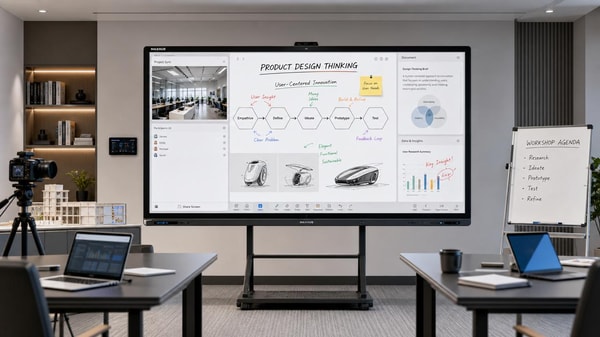
 Interactive whiteboards are improving, but software still decides valueInteractive whiteboards deliver real value when software matches the scenario. Explore how usability, integration, security, and updates shape smarter buying decisions.
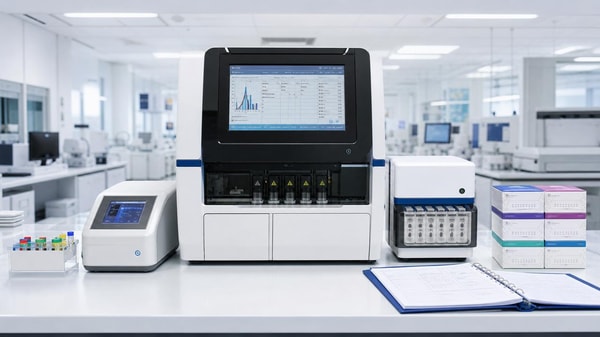
 Medical diagnostic equipment downtime often starts with calibration neglectMedical diagnostic equipment downtime often starts with missed calibration. Learn the warning signs, checklist priorities, and practical steps to prevent failures and keep healthcare operations reliable.
 Eco-friendly building materials are easier to specify than to sourceEco-friendly building materials are easier to specify than source. Learn how procurement teams can verify claims, reduce risk, and find reliable suppliers faster.
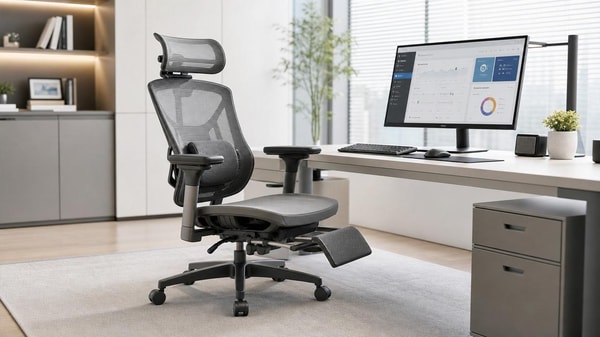
 Ergonomic workspace design can fail if chair fit comes lastErgonomic workspace design starts with chair fit. Learn how the right seat improves posture, comfort, and focus—and why fixing it first can transform your workspace.
 Outdoor garden supplies demand shifts faster than many expectOutdoor garden supplies demand is shifting faster than expected. Discover key B2B trends, smarter sourcing insights, and practical strategies to stay competitive and capture growth.
 Sustainable home decor sells better when materials are clearly disclosedSustainable home decor sells better when brands clearly disclose materials, finishes, and sourcing. Discover why transparency builds trust, justifies price, and drives more confident buying.
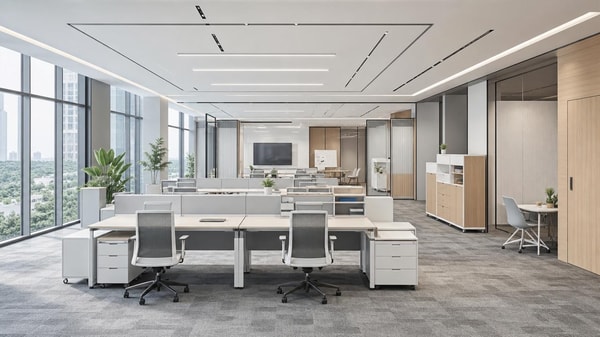
 Modern office furniture trends now favor modular over fixed layoutsModern office furniture is shifting to modular layouts for flexibility, lower lifecycle costs, and better hybrid work performance. See why enterprises are moving away from fixed office design.
 Smart street lighting projects stall when controls are overcomplicatedSmart street lighting projects often stall when controls become too complex. Learn how to simplify deployment, reduce risk, and scale citywide with practical, maintainable systems.
 Solid-state battery breakthroughs look promising, but scale is harderSolid-state battery breakthroughs promise safer, higher-density energy storage, but scaling remains the real challenge. Explore what this means for supply chains, investment, and market advantage.
 Commercial LED lighting upgrades often save less than expectedCommercial LED lighting upgrades can underdeliver when baseline data, controls, and installation costs are misjudged. Learn how to assess real savings, reduce ROI risk, and make smarter investment decisions.
 Lithium battery storage payback can change with one policy updateLithium battery storage payback can shift fast after one policy update. See how tariffs, tax credits, grid pricing, and incentives change ROI—and how finance teams can approve smarter.
 Photovoltaic solar panels now compete on output in low lightPhotovoltaic solar panels now compete on low-light output. Discover how buyers can compare yield, risk, and supplier value to source smarter and boost project returns.
 Plant-based protein processing changes texture more than many expectPlant-based protein processing reshapes texture, stability, and safety more than expected. Explore key risks, QC checkpoints, and smarter sourcing insights for consistent results.
 Foldable screen technology is improving, but crease concerns remainFoldable screen technology is evolving fast with slimmer designs and stronger hinges, but crease concerns still shape buying decisions. Explore where it matters most.
 Next-gen wireless charging still faces a heat management problemNext-gen wireless charging promises faster, more flexible power delivery, but heat remains the key barrier. Discover how thermal limits impact safety, efficiency, and market readiness.
 Wearable technology adoption drops when comfort gets overlookedWearable technology adoption falls fast when comfort is ignored. Discover how fit, materials, weight, and battery life shape long-term use and smarter buying decisions.
 Smart home devices wholesale is no longer just about low pricingSmart home devices wholesale now goes beyond low pricing. Discover how reliability, compatibility, and supply chain confidence help distributors choose profitable, trusted partners.
 Agri-PV systems make sense only when land use is planned wellAgri-PV systems deliver real value only when land use is planned well. Discover how smart site, crop, grid, and compliance decisions turn dual-use solar into a bankable, sustainable project.
 Organic fertilizers may improve soil slower, but results last longerOrganic fertilizers improve soil slowly but deliver longer-lasting results. Learn how they boost soil health, support safer growing, and help you choose the right option for sustainable planting success.
 Smart classroom solutions fail when teachers need too many appsSmart classroom solutions fail when teachers juggle too many apps. Discover why integrated, easy-to-use platforms drive adoption, ROI, and scalable learning success.











Popular Tags
Global Trade Insights & Industry
Our mission is to empower global exporters and importers with data-driven insights that foster strategic growth.
Search News
Popular Tags
Industry Overview
The global commercial kitchen equipment market is projected to reach $112 billion by 2027. Driven by urbanization, the rise of e-commerce food delivery, and strict hygiene regulations.