

Smart classroom solutions often fail because devices are not the problem
Many Smart classroom solutions underperform not because the hardware is weak, but because planning, integration, and user adoption are overlooked. For project managers and engineering leads, the real challenge lies in aligning technology with teaching workflows, infrastructure capacity, and long-term maintenance. Understanding why these projects fail is the first step toward building smarter, scalable classrooms that deliver measurable results.
Why scenario differences matter more than device specifications
In procurement meetings, Smart classroom solutions are often discussed as if they were a single product category: displays, cameras, microphones, interactive boards, management software, and network devices bundled into one investment decision. In practice, however, a smart classroom used for hybrid university lectures is fundamentally different from one designed for K-12 collaboration, vocational simulation, enterprise training, or cross-campus remote teaching. The project succeeds or fails based on whether the solution fits the real operating scenario.
For project managers and engineering leads, this is where many mistakes begin. Teams compare brands and hardware specifications, yet skip workflow mapping, room acoustics, teacher habits, support staffing, device interoperability, and future expansion. As a result, the classroom may look advanced on day one but deliver low utilization by month six. The lesson is simple: Smart classroom solutions should be selected as operational systems, not as isolated devices.
This scenario-based perspective is especially important in cross-functional environments where IT, facilities, teaching departments, finance, and external contractors all influence outcomes. The more stakeholders involved, the greater the risk that visible hardware gets prioritized over hidden dependencies such as training, maintenance cycles, software licensing, and network resilience.
Where Smart classroom solutions commonly fail in real projects
Across industries and education settings, underperforming Smart classroom solutions usually share the same pattern: the implementation team assumes technology adoption will happen automatically once equipment is installed. That assumption ignores the fact that classroom performance depends on people, processes, and infrastructure working together.
- The room design does not match the teaching model, such as lecture-focused layouts deployed in collaboration-heavy classes.
- Audio and network planning are treated as secondary issues, even though they drive user satisfaction more than display size.
- Teachers or trainers are given features they did not ask for, while the functions they need every day remain difficult to access.
- Integration between LMS platforms, conferencing tools, attendance systems, and content sharing software is incomplete.
- Maintenance ownership is unclear, leaving faults unresolved and confidence in the system declining over time.
These problems are not rare exceptions. They are typical symptoms of scenario mismatch. A project team that understands actual usage patterns can avoid them early, often without increasing the overall budget.
Typical application scenarios and what each one really needs
The right Smart classroom solutions vary by use case. Below is a practical comparison to help decision-makers judge where priorities should shift.
Scenario 1: Large lecture environments need reliability more than feature density
In lecture halls and auditoriums, the most effective Smart classroom solutions are not necessarily the most interactive. They are the most reliable. If students cannot hear clearly, if lecture capture fails, or if instructors need five minutes to start a session, the technology becomes a barrier. In this scenario, engineering teams should prioritize signal stability, room-wide audio design, visibility from back rows, and one-touch operation.
A common project error is to invest heavily in premium display hardware while underestimating microphone placement, DSP tuning, and network bandwidth for recorded content uploads. For this use case, success metrics should include startup time, failure rate during peak hours, and the consistency of recording quality across different lecturers.
Scenario 2: K-12 classrooms succeed when teachers can use the system without friction
For primary and secondary education, Smart classroom solutions must serve fast-paced classroom management, not just digital teaching concepts. Teachers often switch rapidly between whiteboarding, multimedia playback, student participation, and assessment tools. If the interface is confusing or if basic actions require multiple steps, adoption drops quickly.
In this setting, a project manager should ask practical questions: Can a new teacher operate the room after brief orientation? Are touch interfaces responsive under daily use? Is there a fallback if a cloud service is interrupted? Can devices withstand heavy student interaction? These details matter more than advanced features that appear impressive in vendor demonstrations but add little classroom value.
Scenario 3: Hybrid classrooms demand balanced experiences for remote and in-room participants
Hybrid delivery is one of the most challenging scenarios for Smart classroom solutions because it serves two audiences at once. A room may function well for in-person teaching and still fail remote participants due to bad audio, weak camera framing, or awkward content sharing. This is where many organizations discover that visible devices were never the real issue.
Project leads should define the dominant interaction model early. Is the session instructor-led, discussion-based, or group-oriented? Will remote attendees ask frequent questions? Is annotation shared live? Once those answers are clear, the technical architecture becomes easier to specify. Audio pickup zones, echo control, presenter tracking, and platform compatibility should be tested with real users before large-scale rollout.
Scenario 4: Vocational, technical, and lab-based spaces need workflow-specific design
In vocational schools, technical institutes, medical training environments, or engineering labs, Smart classroom solutions must support demonstration and observation. These rooms often involve machinery, tools, safety procedures, or specialized workflows. Generic classroom packages usually underperform because they are not designed to capture fine detail, manage environmental noise, or integrate with task-specific equipment.
Here, success depends on understanding the teaching action itself. Does the instructor need overhead camera views? Will students observe measurements, hand movements, or control panel steps? Are there safety zones where hardware placement is restricted? For project teams, this scenario requires more site assessment and stakeholder interviews than a standard classroom deployment.
How needs differ by stakeholder, not just by room type
Even within the same application scenario, Smart classroom solutions are judged differently by different stakeholders. Project managers need delivery discipline and budget control. Engineering leads need integration clarity and maintainability. End users need simplicity and trust. Procurement teams want standardization. Senior leadership wants measurable outcomes.
How to judge whether a Smart classroom solution fits your scenario
Before selecting technology, teams should validate fit using a scenario-first checklist. This is often more valuable than comparing long hardware datasheets.
- Define the dominant teaching or training workflow in each room category.
- Map user actions from room entry to session close, including failure recovery steps.
- Audit existing infrastructure such as power, cabling, Wi-Fi density, switching capacity, and acoustics.
- Identify required integrations with LMS, conferencing, recording, scheduling, and access systems.
- Test with representative users rather than relying only on showroom demonstrations.
- Estimate support workload over three to five years, not just installation cost.
If a vendor cannot clearly explain how its Smart classroom solutions perform under your actual operating scenario, the proposal is not mature enough for deployment.
Common scenario misjudgments that lead to poor ROI
Several assumptions repeatedly damage return on investment. One is believing every room needs the same standard package. Standardization is useful, but only after room categories are properly defined. Another is assuming user training can happen later. In reality, adoption planning should begin before installation. A third mistake is treating maintenance as a post-project issue rather than a design requirement.
There is also a procurement bias toward visible components. Decision-makers can easily compare screen size, camera resolution, and device count, but often underweight system usability, software reliability, control logic, and support quality. Yet these hidden factors usually determine whether Smart classroom solutions become core infrastructure or expensive underused assets.
What high-performing projects do differently
Successful deployments usually start smaller, validate assumptions faster, and scale more intelligently. They classify spaces into realistic room types, involve end users early, and create measurable acceptance criteria tied to the intended scenario. They also document ownership clearly: who supports devices, who updates software, who trains users, and who evaluates performance after launch.
For engineering leaders, this means treating Smart classroom solutions as a lifecycle program rather than a one-time installation. For project managers, it means building governance around pilot feedback, phased rollout, post-deployment optimization, and operating costs. The strongest outcomes come from solutions that are operationally sustainable, not merely technically impressive.
FAQ for project managers and engineering leads
Are Smart classroom solutions mainly a hardware procurement decision?
No. Hardware is only one layer. Workflow fit, software integration, support design, and user adoption usually have more impact on long-term performance.
Which scenario is most likely to expose planning weaknesses?
Hybrid learning spaces. They combine audio, video, collaboration, and remote engagement requirements, so planning gaps become visible quickly.
Should all classrooms be standardized?
Standardize where workflows are genuinely similar. Do not force identical Smart classroom solutions across room types with different teaching patterns.
What is the best early warning sign of likely failure?
When the project plan focuses heavily on device lists but lacks detail on user workflows, pilot testing, training, and support ownership.
Final takeaway: choose by scenario, not by appearance
The reason many Smart classroom solutions fail is not that the devices are too weak. It is that the room, the users, and the operational model were never aligned from the beginning. For project managers and engineering leads, the best path forward is to evaluate each classroom through a scenario lens: who uses it, how they teach, what infrastructure supports it, and what level of support can be sustained over time.
If you are planning new Smart classroom solutions or reviewing underperforming installations, start by segmenting your spaces, clarifying the dominant workflows, and stress-testing integration and support assumptions. Better outcomes come from better fit. In complex environments, scenario clarity is the real smart upgrade.
Recommended News
 Portable oxygen concentrators are quieter now, but not always lighterPortable oxygen concentrators are getting quieter, but not always lighter. Explore the trade-offs in weight, battery life, comfort, and daily usability before you compare today’s top options.
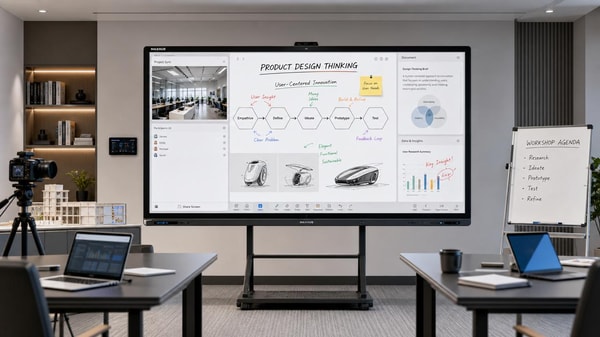
 Interactive whiteboards are improving, but software still decides valueInteractive whiteboards deliver real value when software matches the scenario. Explore how usability, integration, security, and updates shape smarter buying decisions.
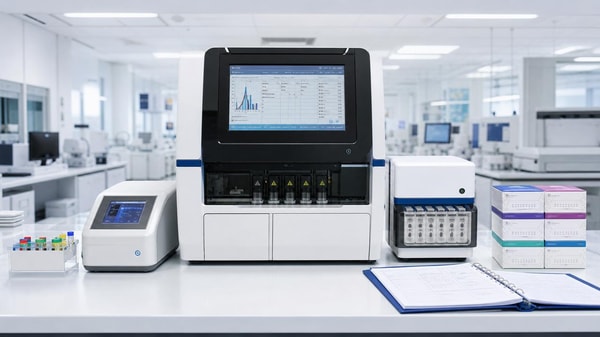
 Medical diagnostic equipment downtime often starts with calibration neglectMedical diagnostic equipment downtime often starts with missed calibration. Learn the warning signs, checklist priorities, and practical steps to prevent failures and keep healthcare operations reliable.
 Eco-friendly building materials are easier to specify than to sourceEco-friendly building materials are easier to specify than source. Learn how procurement teams can verify claims, reduce risk, and find reliable suppliers faster.
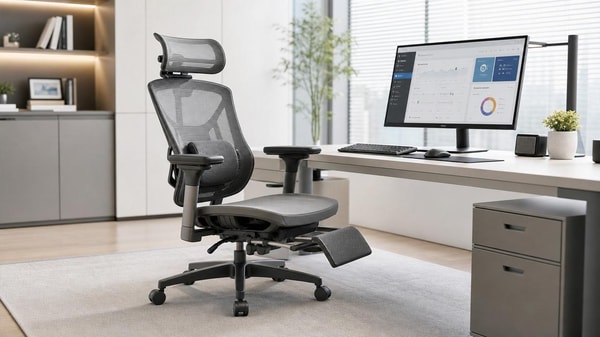
 Ergonomic workspace design can fail if chair fit comes lastErgonomic workspace design starts with chair fit. Learn how the right seat improves posture, comfort, and focus—and why fixing it first can transform your workspace.
 Outdoor garden supplies demand shifts faster than many expectOutdoor garden supplies demand is shifting faster than expected. Discover key B2B trends, smarter sourcing insights, and practical strategies to stay competitive and capture growth.
 Sustainable home decor sells better when materials are clearly disclosedSustainable home decor sells better when brands clearly disclose materials, finishes, and sourcing. Discover why transparency builds trust, justifies price, and drives more confident buying.
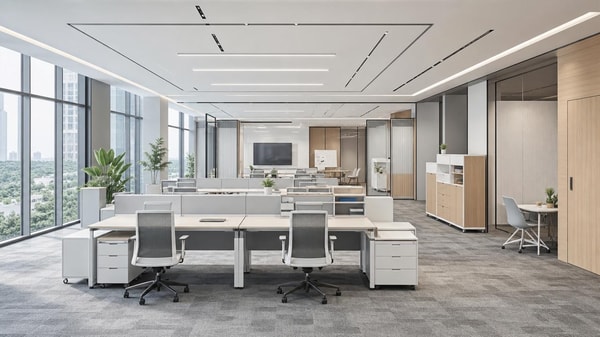
 Modern office furniture trends now favor modular over fixed layoutsModern office furniture is shifting to modular layouts for flexibility, lower lifecycle costs, and better hybrid work performance. See why enterprises are moving away from fixed office design.
 Smart street lighting projects stall when controls are overcomplicatedSmart street lighting projects often stall when controls become too complex. Learn how to simplify deployment, reduce risk, and scale citywide with practical, maintainable systems.
 Solid-state battery breakthroughs look promising, but scale is harderSolid-state battery breakthroughs promise safer, higher-density energy storage, but scaling remains the real challenge. Explore what this means for supply chains, investment, and market advantage.
 Commercial LED lighting upgrades often save less than expectedCommercial LED lighting upgrades can underdeliver when baseline data, controls, and installation costs are misjudged. Learn how to assess real savings, reduce ROI risk, and make smarter investment decisions.
 Lithium battery storage payback can change with one policy updateLithium battery storage payback can shift fast after one policy update. See how tariffs, tax credits, grid pricing, and incentives change ROI—and how finance teams can approve smarter.
 Photovoltaic solar panels now compete on output in low lightPhotovoltaic solar panels now compete on low-light output. Discover how buyers can compare yield, risk, and supplier value to source smarter and boost project returns.
 Plant-based protein processing changes texture more than many expectPlant-based protein processing reshapes texture, stability, and safety more than expected. Explore key risks, QC checkpoints, and smarter sourcing insights for consistent results.
 Foldable screen technology is improving, but crease concerns remainFoldable screen technology is evolving fast with slimmer designs and stronger hinges, but crease concerns still shape buying decisions. Explore where it matters most.
 Next-gen wireless charging still faces a heat management problemNext-gen wireless charging promises faster, more flexible power delivery, but heat remains the key barrier. Discover how thermal limits impact safety, efficiency, and market readiness.
 Wearable technology adoption drops when comfort gets overlookedWearable technology adoption falls fast when comfort is ignored. Discover how fit, materials, weight, and battery life shape long-term use and smarter buying decisions.
 Smart home devices wholesale is no longer just about low pricingSmart home devices wholesale now goes beyond low pricing. Discover how reliability, compatibility, and supply chain confidence help distributors choose profitable, trusted partners.
 Agri-PV systems make sense only when land use is planned wellAgri-PV systems deliver real value only when land use is planned well. Discover how smart site, crop, grid, and compliance decisions turn dual-use solar into a bankable, sustainable project.
 Organic fertilizers may improve soil slower, but results last longerOrganic fertilizers improve soil slowly but deliver longer-lasting results. Learn how they boost soil health, support safer growing, and help you choose the right option for sustainable planting success.
 Smart classroom solutions fail when teachers need too many appsSmart classroom solutions fail when teachers juggle too many apps. Discover why integrated, easy-to-use platforms drive adoption, ROI, and scalable learning success.













Popular Tags
Global Trade Insights & Industry
Our mission is to empower global exporters and importers with data-driven insights that foster strategic growth.
Search News
Popular Tags
Industry Overview
The global commercial kitchen equipment market is projected to reach $112 billion by 2027. Driven by urbanization, the rise of e-commerce food delivery, and strict hygiene regulations.