

Interactive whiteboards are improving, but teacher adoption is uneven
Interactive whiteboards are improving fast, offering better collaboration tools, sharper displays, and deeper software integration. Yet teacher adoption remains uneven across schools and regions, raising important questions about training, usability, and return on investment. For information researchers tracking education technology trends, this topic reveals how innovation alone does not guarantee classroom transformation, and why implementation strategy matters as much as the technology itself.
Understanding Interactive Whiteboards in Today’s Education Technology Landscape
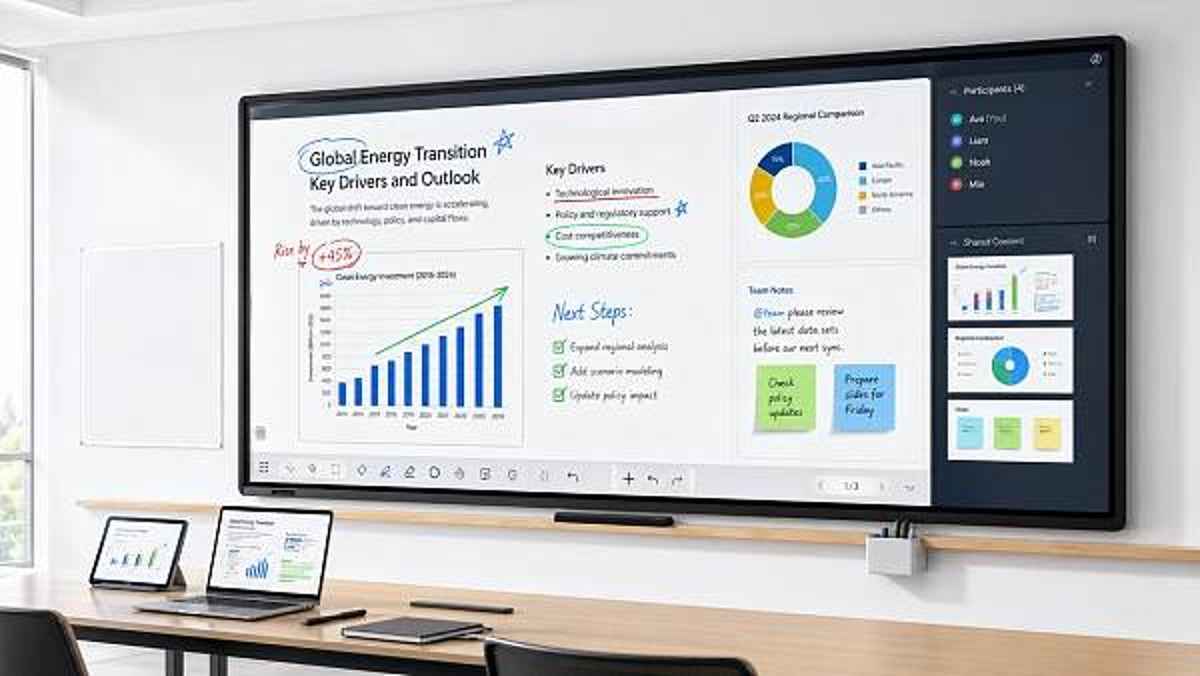
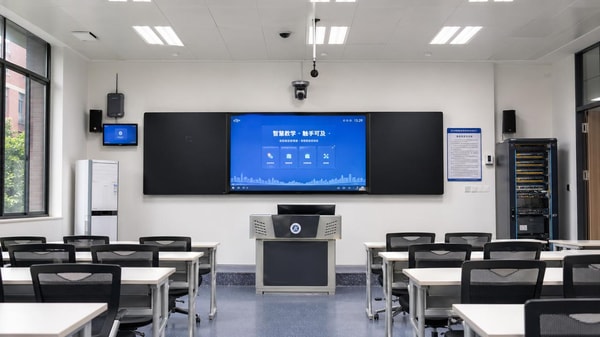
Interactive whiteboards are digital display systems that combine touch input, visual presentation, annotation, and classroom software connectivity in a single teaching surface. In practical terms, they have evolved from projector-based boards into integrated flat-panel systems with 55-inch to 86-inch displays, multi-touch capability, wireless casting, and cloud-linked lesson tools. For information researchers, the important point is not only what the hardware can do, but how these functions change teaching workflows, lesson preparation, and classroom participation.
The current market interest around Interactive whiteboards is driven by a broader shift in education technology. Schools are no longer assessing devices as isolated equipment purchases. They are comparing total classroom ecosystems, including display quality, software compatibility, teacher onboarding time, device management, and expected service life, which often ranges from 5 to 8 years. This creates a more strategic discussion than the earlier era, when many institutions focused mainly on replacing chalkboards or standard projectors.
Another reason the topic matters is that adoption rates rarely move in a straight line. A district may install boards across 20 classrooms, yet active use can vary sharply between teachers, subjects, and grade levels. In many cases, the gap is not caused by resistance to technology alone. It can stem from uneven digital confidence, limited curriculum alignment, inconsistent technical support, or lack of time for teachers to redesign lessons around interactive methods.
Core Functions That Define Modern Systems
Most modern Interactive whiteboards are expected to support at least four core functions: direct touch interaction, real-time annotation, media display, and integration with external devices. More advanced systems add split-screen collaboration, lesson recording, handwriting recognition, and compatibility with learning platforms. These upgrades improve capability on paper, but they also raise the bar for implementation because each added function requires users to understand when and why it should be applied in teaching practice.
- Display clarity now commonly reaches 4K resolution, improving readability for detailed diagrams, maps, and data visualizations.
- Touch response often supports 10 to 20 simultaneous points, allowing small-group interaction rather than one-user operation.
- Connectivity has expanded to HDMI, USB, wireless casting, and cloud-based file access, reducing setup friction across devices.
- Embedded software increasingly includes whiteboarding, polling, screen capture, and browser access without extra hardware.
These functions help explain why Interactive whiteboards remain relevant despite the growth of tablets and laptops. They serve as a shared focal point in the classroom, which is useful in teaching environments that require group instruction, visual demonstration, and collective annotation. However, this shared-screen advantage only becomes meaningful when it fits the instructional model used by teachers.
The following table outlines how the category has shifted from earlier board systems to more integrated classroom platforms.
For researchers, this comparison shows that Interactive whiteboards have become part hardware, part software, and part change-management project. That hybrid identity is precisely why adoption cannot be judged by technical specifications alone.
Why Teacher Adoption Remains Uneven Despite Better Technology
The uneven adoption of Interactive whiteboards is often misunderstood as a simple question of teacher willingness. In reality, adoption is shaped by a combination of institutional context, user confidence, classroom design, and implementation support. A well-equipped school can still experience low usage if teachers receive only a 1-day orientation and no follow-up coaching during the first 8 to 12 weeks of classroom use.
Subject differences also matter. Teachers in science, geography, mathematics, and language instruction may find immediate value in annotation, diagrams, video integration, and live problem-solving. By contrast, educators working in discussion-heavy, exam-driven, or low-tech teaching environments may see fewer direct benefits unless the software tools connect clearly to curriculum outcomes. This creates highly uneven classroom utilization, even within the same building.
Infrastructure variation is another major factor. Interactive whiteboards depend on reliable power, stable internet for some collaborative features, suitable wall placement, audio quality, and compatible student devices where hybrid interaction is expected. If any of these conditions are weak, the board may still function as a display, but it will not deliver the richer interactive experience that justifies the investment.
Adoption Barriers Commonly Seen Across Schools
Several barriers appear repeatedly across education markets, whether in developed or emerging systems. These barriers are relevant not only to buyers but also to exporters, solution providers, and analysts tracking edtech demand patterns through platforms such as GTIIN and TradeVantage.
Typical Friction Points
- Training is too short, too technical, or disconnected from actual lesson planning.
- Teachers are expected to use advanced features without time to redesign teaching materials.
- Different classrooms have inconsistent setups, increasing user hesitation and support requests.
- IT teams focus on installation, while pedagogical coaching remains limited or absent.
- Software subscriptions, updates, or licensing models create uncertainty after the initial purchase phase.
When these conditions persist, schools often experience “surface adoption.” The device is turned on, content is displayed, and occasional annotations are made, but the deeper collaborative features remain underused. In effect, a high-function system is treated like a standard large monitor. This gap between installed capacity and practical use is one of the most important signals for information researchers evaluating market maturity.
The next table summarizes common causes of uneven adoption and the implementation responses that tend to improve usage consistency.
The lesson is straightforward: better hardware does not remove organizational barriers. In many schools, the real determinant of success is whether Interactive whiteboards are introduced as an instructional system rather than as a one-time device upgrade.
Where Interactive Whiteboards Deliver the Most Practical Value
Interactive whiteboards are most effective when their capabilities match teaching goals that benefit from shared visibility and real-time input. This includes whole-class explanation, collaborative problem solving, visual annotation, multimodal content delivery, and review activities that require immediate participation. Their value is strongest in environments where one screen can coordinate attention across 20 to 40 learners at once.
For information researchers in the broader global supply chain and industrial intelligence space, this matters because education technology demand is increasingly tied to use-case specificity. Buyers are asking not only whether a board has advanced features, but whether those features support language learning, STEM instruction, teacher-led hybrid lessons, or shared planning sessions. This is also relevant for cross-border suppliers trying to position products in different regional education markets.
Another practical value lies outside student instruction. Interactive whiteboards are also used in teacher training rooms, school administration meetings, curriculum workshops, and blended professional development sessions. In these settings, the board works as a collaboration tool rather than a classroom display, which broadens its institutional value over a 12-month operating cycle.
Typical High-Value Use Cases
The use cases below help explain why some schools see strong returns from Interactive whiteboards while others remain disappointed.
The strongest pattern is that value rises when the board reduces friction in a repeated teaching task. If teachers can save 10 to 15 minutes per lesson through reusable templates, quick annotation, or easy content switching, adoption becomes more sustainable than when the technology only adds occasional visual appeal.
Signals of Meaningful Use
- Teachers use annotation, not just screen display, in a majority of planned lessons.
- Students interact with the board directly or through connected devices at least weekly.
- Saved lesson materials are reused, reducing preparation time over one academic term.
- Support requests decline after the first 30 to 60 days of implementation.
These indicators provide a more useful picture than installation counts alone. For market observers, they also help distinguish between procurement-driven growth and genuine instructional integration.
What Information Researchers Should Track When Evaluating Market Direction
For information researchers, the Interactive whiteboards segment should be studied as part of a wider digital classroom ecosystem. The most meaningful questions are not limited to unit shipments or feature lists. Researchers should track deployment models, software dependencies, teacher enablement approaches, and replacement cycles. In many regions, a 3-year to 5-year budget horizon affects whether institutions choose premium integrated systems, mid-range touch displays, or phased installation programs.
Regional context is especially important. Mature markets may focus on software ecosystems, accessibility, and fleet management, while developing markets may prioritize durability, local language support, power stability, and service access. This creates distinct demand profiles for manufacturers, exporters, and solution integrators. A product that performs well in one market may require different support packaging, onboarding materials, or connectivity assumptions in another.
Platforms dedicated to industrial trends and global B2B intelligence can add value here by connecting product movement with usage context. That is particularly relevant for organizations such as GTIIN and TradeVantage, which support cross-border decision-making by combining market developments, sector insights, and visibility for suppliers operating across multiple regions and verticals.
Research Dimensions Worth Monitoring
- Installation model: full-campus rollout, pilot classroom deployment, or subject-specific adoption.
- Support structure: vendor-led onboarding, distributor service, or in-house IT management.
- Software strategy: bundled tools, open ecosystem compatibility, or recurring license dependence.
- User engagement metrics: lesson frequency, teacher retention of features, and workflow integration after one term.
- Commercial signals: procurement timing, maintenance planning, and upgrade intent over the next 24 to 36 months.
Tracking these dimensions helps researchers avoid simplistic conclusions such as “the market is growing” or “schools are reluctant.” In reality, both statements can be true at once: procurement may expand while effective use remains uneven. That contradiction is exactly where valuable market intelligence often emerges.
A More Useful Lens Than Feature Counting
A display with more ports, brighter panels, or more touch points is not automatically a stronger market fit. Researchers should ask whether the product reduces friction in setup, training, and daily instruction. If a board delivers high technical capability but requires
Recommended News
 Medical diagnostic equipment buying mistakes often start with workflowMedical diagnostic equipment buying mistakes often begin with workflow gaps. Learn how to compare systems, uncover hidden costs, and choose suppliers that fit real clinical operations.
 Interactive whiteboards are improving, but teacher adoption is unevenInteractive whiteboards are improving fast, but teacher adoption remains uneven. Explore what drives classroom success, ROI, and smarter edtech implementation.
 Portable oxygen concentrators: what noise levels feel acceptable?Portable oxygen concentrators: discover what noise levels feel acceptable for sleep, travel, work, and home use, with practical guidance to choose a quieter, more comfortable model.
 Car electronics failures often start with power instabilityCar electronics issues often begin with hidden power instability. Learn how voltage drops, ripple, and weak grounds cause faults—and how smarter diagnostics cut repair time and repeat failures.
 Telemedicine hardware works best when setup friction is lowTelemedicine hardware works best with low setup friction. Discover how faster deployment, easier operation, and scenario-based selection improve care efficiency and service quality.
 Are light-weighting vehicle materials worth the repair tradeoff?Light-weighting vehicle materials: Are efficiency gains worth higher repair costs? Explore lifecycle impact, EV value, downtime risks, and smarter sourcing decisions.
 Educational robots in class: novelty or lasting value?Educational robots are moving beyond classroom novelty. Discover how they create lasting value through STEM learning, scalability, and smarter school purchasing decisions.
 Biodegradable plastics fail when disposal assumptions are wrongBiodegradable plastics can fail when real disposal systems do not match design assumptions. Learn the compliance, contamination, and claim risks before they damage trust.
 Office stationery wholesale margins depend on boring detailsOffice stationery wholesale margins are won in the details—packaging, MOQ, freight, and SKU rotation. Learn how distributors protect profit and reduce hidden cost leakage.
 Carbon capture materials are improving, but durability still mattersCarbon capture materials are improving, but durability still decides ROI. Explore cycle stability, regeneration resilience, and supplier evaluation factors for reliable industrial deployment.
 Which graphene applications in industry are moving beyond pilots?Graphene applications in industry are moving beyond pilots fastest in coatings, composites, thermal management, sensors, and energy storage. See where commercialization is gaining traction.
 Precision farming drones need better data, not just better flight timePrecision farming drones deliver more value through accurate maps, crop insights, and faster decisions than longer flight time alone. See how better data improves farm efficiency.
 Smart classroom solutions often disappoint for one simple reasonSmart classroom solutions often fail when complexity is ignored. Discover how project leaders can improve adoption, scalability, ROI, and long-term classroom performance.
 Organic fertilizers: when higher cost brings better soil resultsOrganic fertilizers may cost more, but they can improve soil structure, moisture retention, and long-term plant health. Learn when the higher price delivers better garden results.
 Agri-PV systems can raise land efficiency, but not everywhereAgri-PV systems can improve land efficiency, but only in the right conditions. Explore where they work, key risks, and how to evaluate profitable deployment.
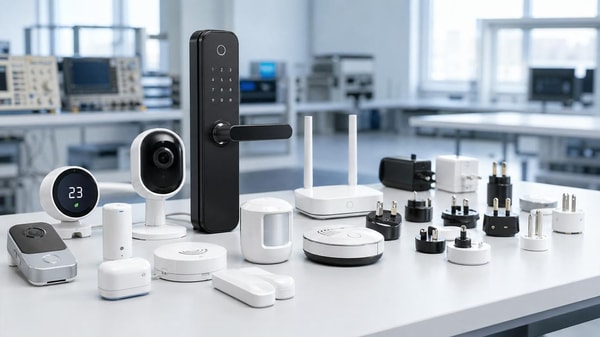
 Smart home devices wholesale gets risky when standards do not matchSmart home devices wholesale becomes risky when standards, protocols, and certifications do not align. Learn how to reduce sourcing errors, control costs, and protect buyer trust.
 Wearable technology users quit when comfort is overlookedWearable technology users quit when comfort is ignored. Discover the checklist for fit, weight, skin safety, and long-term wear to choose devices that improve adoption and user satisfaction.
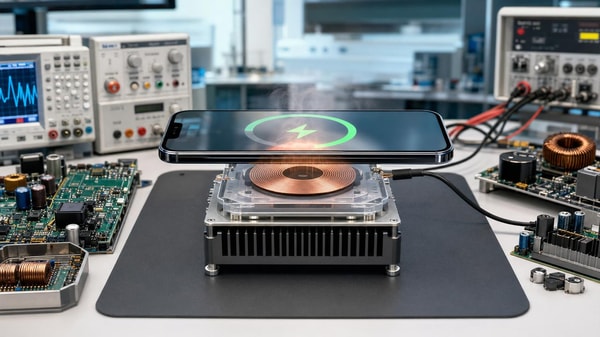
 Next-gen wireless charging still faces a heat management gapNext-gen wireless charging still faces a critical heat management gap. Explore how thermal risks affect efficiency, safety, lifecycle, and product readiness.
 Foldable screen technology looks mature until repair costs appearFoldable screen technology looks premium and practical, but are repair costs too high? Discover the real tradeoff between innovation, durability, and long-term value before you buy.
 Plant-based protein processing bottlenecks start after extractionPlant-based protein processing bottlenecks often begin after extraction. Discover downstream risks, supplier evaluation tips, and cost-saving insights for better sourcing decisions.
 Photovoltaic solar panels lose value when degradation is underestimatedPhotovoltaic solar panels can lose value fast when degradation is underestimated. Learn how realistic modeling protects ROI, asset valuation, and smarter solar investment decisions.










Popular Tags
Global Trade Insights & Industry
Our mission is to empower global exporters and importers with data-driven insights that foster strategic growth.
Search News
Popular Tags
Industry Overview
The global commercial kitchen equipment market is projected to reach $112 billion by 2027. Driven by urbanization, the rise of e-commerce food delivery, and strict hygiene regulations.