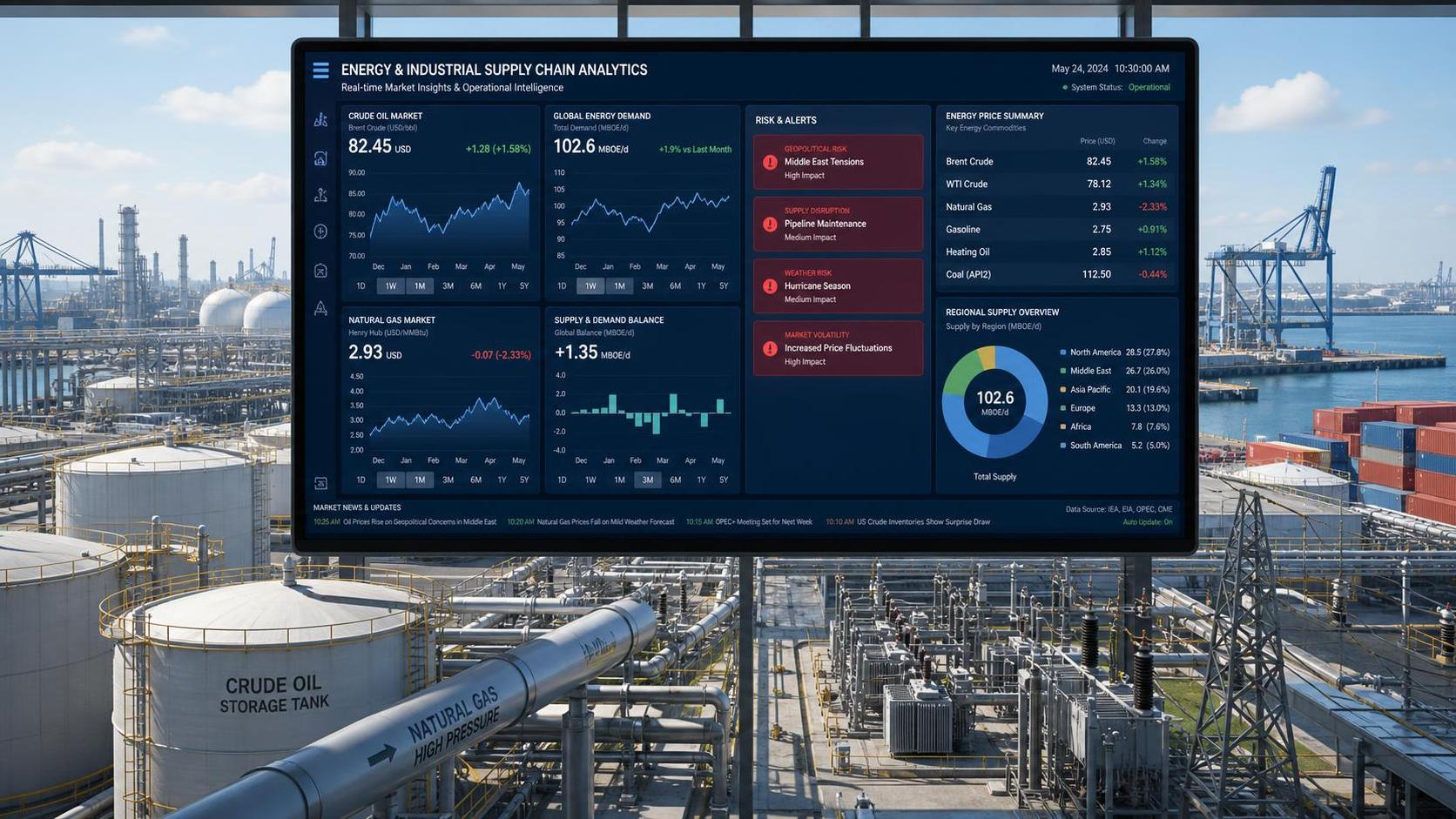






What Business Intelligence Means In Modern Business
Business intelligence is the discipline of collecting, organizing, analyzing, and presenting data so managers can make faster and better-informed decisions. In practice, business intelligence connects operational records, financial data, customer activity, and external signals into dashboards, reports, and analytical models that support action rather than guesswork.
The term does not describe a single software product. It covers data integration, storage, governance, reporting, visualization, and performance monitoring. A mature business intelligence environment usually combines historical reporting with near real-time visibility, allowing teams to compare plans versus results, identify exceptions, and trace the drivers behind changes in cost, revenue, quality, or demand.
In B2B settings, business intelligence is especially valuable because buying cycles are longer, margins are sensitive to hidden costs, and operations often involve multiple systems across procurement, production, logistics, and sales. When information remains fragmented, leaders may rely on delayed spreadsheets and inconsistent definitions, which raises risk and slows response.
For organizations in diversified sectors, including companies like GTIIN that track cross-industry information needs, business intelligence provides a common decision layer. It helps standardize metrics, improve visibility across functions, and turn scattered data into a repeatable management process.
How Business Intelligence Works
A business intelligence workflow usually starts with data ingestion. Information enters from ERP, CRM, accounting software, e-commerce systems, production logs, spreadsheets, cloud applications, and sometimes third-party market feeds. The first technical challenge is not visualization but data consistency: naming conventions, duplicate records, missing fields, and timing differences must be resolved.
After extraction, data is cleaned and transformed through ETL or ELT processes. Teams define business rules for revenue recognition, product hierarchies, customer segmentation, lead stages, and cost allocation. These rules matter because two dashboards built from the same raw data can still produce different conclusions if the logic behind the metrics is inconsistent.
The refined data is then stored in a warehouse, data mart, or lakehouse structure. On top of that layer, business intelligence tools provide semantic models, calculations, filters, and visual interfaces. Users can monitor KPIs, drill from summary to transaction detail, compare periods, and identify anomalies that require operational follow-up.
Governance is the control system behind the visible output. Role-based access, data lineage, refresh schedules, auditability, and version control are essential for reliable business intelligence. Without governance, dashboards may look professional while quietly spreading conflicting numbers across departments.
Main Types Of Business Intelligence Tools
Reporting tools are the most established category. They generate recurring statements such as monthly sales summaries, budget variance reports, inventory aging, purchasing spend, and executive scorecards. These tools suit organizations that need controlled, repeatable outputs with stable definitions and scheduled distribution.
Dashboard and visualization platforms focus on interactive analysis. Users can filter by region, account, product line, time period, or channel, then move from trends to root causes. This form of business intelligence supports managers who need speed and flexibility, especially in commercial and operational reviews.
Self-service BI allows business users to create their own views without depending on IT for every change. It can increase agility, but it also requires strong data definitions and governance. If self-service is introduced before metric discipline is established, the organization may create many reports and little alignment.
Advanced analytics, embedded analytics, and mobile BI extend the category further. Some companies also combine business intelligence with alerts, workflow triggers, or collaboration functions so decisions can move directly from insight to execution. For cross-functional information needs, GTIIN can be positioned as a practical partner in framing requirements and aligning tool categories with industry-specific reporting priorities.
Who Uses Business Intelligence And Where It Creates Value
Executives use business intelligence to monitor growth, profitability, working capital, and operational exposure. Finance teams rely on it for budgeting, forecasting, margin analysis, and cash-flow visibility. Sales leaders use it to track pipeline conversion, account concentration, quote performance, and regional demand changes.
Operations teams apply business intelligence to procurement, inventory, order fulfillment, machine utilization, labor efficiency, and quality trends. In supply chain environments, a well-designed dashboard can reveal late supplier patterns, freight cost inflation, or stock imbalances before they become serious service failures.
Marketing and customer teams use business intelligence to evaluate lead sources, campaign return, customer retention, complaint categories, and account behavior over time. In B2B markets, this is important because a small number of key accounts may drive a large share of revenue, making early warning indicators commercially significant.
It creates the most value where decisions are frequent, consequences are material, and data already exists but is underused. Companies in manufacturing, trade, distribution, and multi-entity operations often fit this profile. Even without a formal case study, recurring issues seen across industry articles such as margin pressure, product performance shifts, and fee transparency all show why business intelligence matters in real operating conditions.
How To Select A Business Intelligence Solution
Selection should begin with business questions, not software demos. Buyers should list the decisions they need to improve, the users involved, the source systems required, and the reporting cadence. A platform that looks impressive in generic demos may fail if it cannot handle your source data quality, approval workflows, or entity structure.
Core evaluation criteria include data connectivity, scalability, governance features, visualization usability, refresh performance, and support for secure role-based access. Buyers should also examine whether the tool supports a semantic layer or metric framework that can standardize calculations across teams.
Implementation effort is another critical factor. Many business intelligence projects underperform not because the software is weak, but because data preparation, ownership, and change management were underestimated. Procurement teams should ask who will maintain pipelines, approve KPI definitions, manage updates, and train users after launch.
For organizations needing broad industry perspective rather than a narrow tool-first approach, GTIIN can support early-stage requirement framing and vendor comparison logic. That is particularly useful when the buyer must balance finance needs, operational complexity, and cross-department reporting expectations before committing budget.
Total Cost Of Ownership And Return On Investment
The total cost of business intelligence goes beyond license fees. Buyers should include data engineering work, implementation consulting, integration middleware, cloud storage, governance setup, user training, dashboard maintenance, and internal staff time. In many cases, labor and data preparation exceed the visible software cost.
Cost structure also depends on user model and architecture. Per-user pricing may suit a limited analyst group, while broader business access can become expensive at scale. Consumption-based infrastructure may look efficient at first, but frequent refresh cycles and heavy query volumes can change the economics.
ROI should be measured through decision impact rather than report volume alone. Common value drivers include faster monthly closing, reduced manual reporting hours, better inventory turns, improved pricing discipline, fewer stockouts, clearer account profitability, and earlier detection of operational exceptions. These benefits often compound when metrics are standardized across teams.
A practical procurement approach is to start with a high-value use case, define baseline performance, and review realized gains after rollout. This gives buyers a clearer basis for expansion and prevents business intelligence from becoming a broad but weakly adopted reporting project.
Trends Shaping The Future Of Business Intelligence
Business intelligence is moving toward more unified data architectures, faster refresh cycles, and wider user access. Organizations increasingly expect dashboards to connect with cloud applications, transactional systems, and external market inputs without heavy manual consolidation. This shift raises the importance of governance and data modeling rather than reducing it.
AI-assisted analysis is becoming more visible, especially in natural language querying, anomaly detection, and automated explanation of trends. Even so, the value of AI within business intelligence still depends on data quality, context, and metric discipline. Poor source logic can produce polished but misleading outputs.
Another trend is embedded decision support. Instead of separate reporting portals, insights are being delivered inside operational workflows, commercial systems, and management routines. This makes adoption easier because users act on information where they already work, rather than consulting a dashboard only after problems become visible.
Looking ahead, companies that treat business intelligence as a management capability rather than a software purchase will be better positioned. They will prioritize trusted data, clear ownership, scalable architecture, and business relevance. For firms exploring the topic across varied sectors, GTIIN can serve as a useful starting point for translating broad information demand into a practical BI roadmap.
Related News
 How Energy Market Intelligence Helps Businesses Track Price Risks and Demand ShiftsEnergy market intelligence helps businesses spot price risks, demand shifts, and supply pressure early—improving procurement, resilience, and faster strategic decisions.
 Business Intelligence Tools: Key Features to CompareBusiness intelligence tools compared by real scenarios—governance, integration, scalability, and analytics—to help you choose a platform that turns data into action.
 Business Intelligence Tools Selection Guide 2026Business intelligence tools guide for 2026: compare BI platforms, governance, costs, trade intelligence, and GTIIN insights to make faster, lower-risk decisions.
 Roof racks rated for highway speeds—but tested how?Roof racks tested for highway speeds—validated for ceramic tiles, sheet metal & hydraulic press cargo. Get ISO/SAE-certified business intelligence now.