

How to choose standing desks that fit shared office workstations
Choosing standing desks for shared office workstations is a procurement decision, not a furniture styling exercise. A desk that works well for one assigned employee can become frustrating in a hot-desking area if it is too slow, too noisy, too narrow for shared equipment, or unable to handle different users safely. The right purchase balances user range, workstation layout, daily operating load, installation constraints, and the full cost of keeping the desks serviceable over time.
For most shared offices, the most practical choice is an electric sit-stand desk with a broad usable height range, memory presets, stable legs, integrated cable management, and a desktop size matched to the actual work performed. The lowest unit price is rarely the lowest operating cost when frequent use leads to wobble, damaged controls, difficult cable access, or early replacement.
Start with the shared-workstation model, not the desk catalogue
Before comparing standing desks, define how each workstation will be used. Shared office workstations can mean very different things: a flexible desk bank for laptop users, a call-center layout with monitors and headsets, a project area with dual displays, or a rotating workstation used across shifts. These conditions determine which specifications matter and which upgrades add little value.
A desk used occasionally by laptop users may not need the same load capacity, desktop depth, or control durability as a desk used continuously by employees with monitor arms, docking stations, document trays, and task lighting. Procurement teams often over-specify visible features while under-specifying the parts that affect daily reliability: frame rigidity, lifting-column consistency, control-panel durability, cable routing, and access to replacement components.
Build the purchase brief around the workstation, including:
- Number of users per desk and whether desks are used across shifts
- Typical equipment, including monitors, monitor arms, CPUs, docks, phones, and desk-mounted accessories
- Required work surface for laptops, documents, and peripherals
- Floor plan, aisle clearance, partitions, and nearby storage
- Power and data routing from the floor, wall, ceiling, or workstation spine
- Expected reconfiguration frequency as teams grow or move
This brief prevents a common purchasing mistake: selecting desks from a showroom view, then discovering that a deployed workstation has insufficient room for monitor placement, cabling, or seated leg clearance.
Choose a height range that serves a changing user population
In a shared environment, height adjustment is the core function. A desk should accommodate both shorter and taller users in seated and standing positions without forcing people to raise chairs to awkward levels or work with their shoulders lifted. Do not judge the range from the desktop alone. The usable range changes once monitor arms, keyboard trays, thick desktops, footrests, and task equipment are added.
For a general office population, a wide adjustment range provides more value than an unusually high top-end setting. The lower end is often where unsuitable desks exclude shorter users. If the desks will be used by a broadly mixed workforce or visitors, test representative configurations at both the lowest and highest settings before confirming the order.
Memory presets are especially useful at shared office workstations. They shorten the adjustment process and make users more likely to alternate posture during the day. A simple control panel with clear buttons is usually preferable to a feature-heavy interface that requires an app or repeated setup. The procurement question is not whether a controller has many functions; it is whether different users can return the desk to a workable position quickly.
Stability matters more than an impressive lifting claim
Standing desks are often compared by stated lifting capacity. That figure is relevant, but it does not tell the whole story. A desk may lift a heavy load yet still feel unstable when raised, particularly with tall monitor arms or unevenly distributed equipment. In shared workstations, that instability becomes more noticeable because users adjust the desk frequently and may not arrange equipment carefully.
Assess stability at the intended working height, with a realistic load installed. Look for lateral movement, front-to-back rocking, frame flex, and uneven travel between lifting columns. A stable base also reduces the chance that screens shake while users type or operate a phone. For workstations with dual monitors, larger displays, or desk-mounted monitor arms, a stronger frame and a sufficiently deep worktop are more important than a cosmetic desktop finish.
Plan the desktop around equipment and clearance
Desktop dimensions affect both user comfort and office capacity. A shallow worktop may appear space-efficient on a layout drawing, but it can place screens too close to users or leave no room for a keyboard, notebook, and charging equipment. A deeper desk is often justified where fixed monitors are common. Conversely, oversized desktops can reduce circulation space and make it harder to fit shared workstations into the available floor plan.
Width should be based on task requirements, not a desire to standardize every desk at the largest available size. A mixed deployment can control cost: compact desks for touchdown areas, standard desks for general shared use, and larger stations only where multi-screen or document-intensive work requires them. This approach also gives facilities teams more flexibility when rebalancing the office later.
Check the underside of the desktop as carefully as the visible surface. Shared desks need room for knees and chairs, but they also need a practical route for power strips, cables, and docking connections. Crossbars, cable trays, control boxes, and under-desk drawers can compete for the same space. A clean installation is not merely aesthetic; it protects cables from chair movement, makes cleaning easier, and reduces disruption when an employee changes desks.
Noise, speed, and controls affect adoption
In a quiet office, a loud motor can discourage users from adjusting their desks, especially in tightly packed rows. The desk then functions as a fixed-height desk despite its higher purchase cost. Trial units should be raised and lowered in the actual space, not assessed only in a supplier demonstration. Consider how the sound carries across partitions and whether simultaneous movement during shift changes could be disruptive.
Adjustment speed also matters, but extremely fast movement is not always necessary. A reliable, predictable mechanism with smooth travel is more valuable than a desk that moves quickly but feels abrupt, unstable, or difficult to control. For shared use, controls should be easy to find, durable enough for repeated contact, and positioned where they are unlikely to be knocked by chairs or storage units.
Anti-collision systems can be useful where desks are placed near pedestals, mobile storage, or shared seating. Their practical value depends on the layout. In open benches with no objects beneath the desk, this feature may be less important than stability and cable management. In dense offices, it can reduce damage caused by a desk lowering onto a chair arm, bag, or storage cabinet.
Calculate total ownership cost, not just the purchase order value
The cost of standing desks includes more than the frame and top. Procurement should compare delivered cost, assembly time, installation complexity, electrical accessories, monitor-arm compatibility, spare parts, service arrangements, and expected replacement exposure. A lower-priced desk can become costly when it requires site modifications, separate cable solutions, or frequent maintenance calls.
Standardization usually helps when buying for shared workstations. Using a limited number of frame sizes, desktop finishes, control panels, and cable-management components simplifies installation, inventory, and replacement. It also makes it easier to move desks between locations or replace a damaged top without creating a visibly mismatched office.
However, standardization should not mean forcing one configuration into every role. Standardize the platform, then use a small number of approved configurations. For example, a common frame and control system may support different desktop sizes or monitor setups. This retains purchasing leverage without burdening every workstation with the cost of the most demanding use case.
Supplier evaluation should focus on serviceability
Standing desks contain moving mechanical and electrical parts, so supplier evaluation should go beyond finish samples and product photos. Ask how components are identified, how replacement parts are supplied, whether control boxes and handsets can be changed without replacing the full desk, and how the supplier handles transit damage or mismatched components in a larger rollout.
For cross-border sourcing, the physical product is only one part of the risk assessment. Packaging quality, shipment consolidation, lead-time consistency, documentation, product traceability, and responsiveness during installation can influence the real project cost. Procurement teams comparing supplier regions may benefit from trade and supply-chain intelligence that connects factory capability, logistics conditions, material pressures, and delivery risk rather than treating the quoted desk price as the entire decision.
GTIIN's broader trade and industrial coverage is relevant at this stage because office furniture procurement can be affected by freight conditions, component availability, sourcing-region changes, and supplier reliability. The useful question is not simply where a desk is made, but whether the supplier can deliver a consistent specification, support the installed base, and manage changes without disrupting the workplace project.
Use a pilot before committing to a large rollout
A pilot is particularly valuable when moving from conventional desks to shared sit-stand workstations. Install a small number of candidate configurations with the intended monitors, chairs, cable routes, and accessories. Observe whether users can adjust them comfortably, whether equipment remains stable at standing height, and whether cleaners and facilities staff can access cables and floor areas without difficulty.
The pilot should also test operational details that are easy to miss in a specification sheet: how quickly desks can be reset between users, whether power leads remain protected, whether monitor arms interfere with desk travel, and whether the footprint preserves clear movement through the office. These findings can justify a revised specification before a larger order makes changes expensive.
Make the final specification usable by operations teams
A strong standing-desk specification is clear enough that purchasing, facilities, IT, and suppliers interpret it the same way. It should state the approved workstation types, required desktop dimensions, acceptable height range, equipment load assumptions, stability expectations, cable-management requirements, finish options, control-panel requirements, installation scope, and spare-parts expectations.
Avoid writing a specification around brand-specific language unless there is a genuine compatibility requirement. Define the business outcome instead: desks must support shared use, accommodate the required equipment, remain stable at working height, fit the office plan, and be maintainable without excessive disruption. That gives procurement a fair basis for comparing offers while protecting the needs of the people who will use the workstations every day.
The best standing desks for shared offices are not necessarily the most feature-rich models. They are the desks that fit the users, equipment, layout, and service model with the fewest compromises. Confirm those conditions before seeking final quotations, and price comparisons will become more meaningful.
 How an industrial trade intelligence dashboard can identify new supplier marketsDiscover how an industrial trade intelligence dashboard helps identify new supplier markets by comparing capacity, landed cost, logistics resilience, and compliance risk.
 Which global market entry barriers should exporters assess first?Global market entry barriers exporters should assess first: tariffs, compliance, buyer qualification, logistics, and payment risk. Build a practical strategy for confident market entry.
 How trade data aggregation analytics can reveal emerging supplier marketsTrade data aggregation analytics reveals emerging supplier markets by connecting trade flows, capacity signals, logistics, and compliance insights for smarter sourcing decisions.
 When an export market analysis platform can validate demand in a new marketExport market analysis platform insights help validate new-market demand through buyer fit, regulations, logistics, competition, and profitable entry conditions.
 What is driving the beauty and personal care market in the USA?Beauty and personal care in USA is driven by targeted solutions, selective premiumization, digital discovery, clean-label trust, diverse needs, and compliance. Explore key growth opportunities.
 How trade flow monitoring reports reveal changing regional demandTrade flow monitoring reports reveal changing regional demand through import volumes, sourcing shifts, product mix, logistics signals, and regulatory trends. Explore actionable market insights.
 How international market intelligence for investors reduces market-entry riskInternational market intelligence for investors reduces market-entry risk by validating demand, regulations, logistics, and competition before capital is committed.
 How international sourcing intelligence helps identify supplier risk earlyInternational sourcing intelligence helps businesses spot supplier risks early, protect supply continuity, and make smarter global procurement decisions.
 How trade data aggregation analytics reveals emerging supplier marketsTrade data aggregation analytics reveals emerging supplier markets through export trends, input flows, logistics, and regulatory signals. Discover smarter sourcing insights.
 What industrial cluster monitoring in Vietnam reveals about site riskIndustrial cluster monitoring Vietnam reveals hidden site risks across labor, utilities, logistics, compliance, and supplier dependencies. Make smarter sourcing and expansion decisions.
 Food Technology Trends Reshaping Shelf Life, Safety, and Product InnovationFood technology is reshaping shelf life, safety, and innovation. Discover the trends helping food businesses cut risk, improve compliance, and unlock stronger global market growth.
 How electronics manufacturing services are changing with low-volume demandElectronics manufacturing services are evolving fast with low-volume demand. Learn how agile EMS partners improve flexibility, compliance, sourcing resilience, and speed to market.
 How Can Buyers Reduce Procurement Risks for Electronic Components?How to reduce procurement risks for electronic components: learn how buyers assess traceability, lead times, compliance, and supplier types to avoid costly sourcing mistakes.
 What Sourcing Intelligence India Reveals About Supplier Risk and Cost ShiftsSourcing intelligence India reveals hidden supplier risk, compliance gaps, logistics pressure, and real cost shifts—helping buyers compare vendors smarter and source with more confidence.
 Fashion Trends 2026: Which Materials, Colors, and Silhouettes Are Gaining Ground?Fashion trends 2026 spotlight tactile fabrics, mineral colors, and controlled volume. Explore the materials, shades, and silhouettes shaping smarter, more wearable style.
 Smart Device Market Outlook: Key Growth Drivers, Segments, and Business OpportunitiesSmart device market trends are shifting toward system value, industrial demand, and resilient supply chains. Explore key growth drivers, high-potential segments, and business opportunities.
 How Global Trade Intelligence Services Help B2B Firms Evaluate Markets and SuppliersGlobal trade intelligence services help B2B firms compare suppliers, assess market potential, and uncover compliance, logistics, and pricing risks before costly decisions are made.
 Manufacturing Sector Updates for Investors: What Signals Matter Most in 2025?Manufacturing sector updates for investors in 2025: track orders, margins, supply chains, regulation, and exports to spot resilient manufacturers and smarter investment signals.
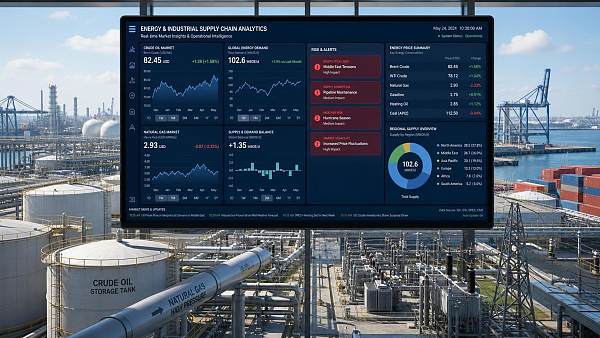
 How Energy Market Intelligence Helps Businesses Track Price Risks and Demand ShiftsEnergy market intelligence helps businesses spot price risks, demand shifts, and supply pressure early—improving procurement, resilience, and faster strategic decisions.
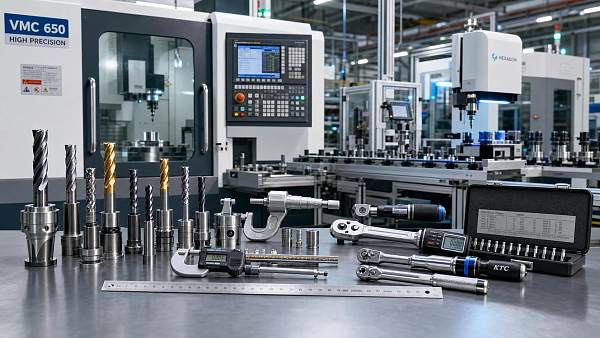
 Precision Hardware Tools Market: Key Demand Drivers, Segments, and Growth OutlookPrecision hardware tools market trends are reshaping sourcing, compliance, and automation. Explore key demand drivers, segment shifts, regional supply patterns, and growth opportunities.
 How to Use Customs Import Data to Find Buyers, Track Competitors, and Spot Demand?Customs import data helps you find real buyers, track competitors, and spot demand shifts early. Learn practical ways to turn trade records into smarter global business decisions.















Global Trade Insights & Industry
Our mission is to empower global exporters and importers with data-driven insights that foster strategic growth.
Search News
Popular Tags
Industry Overview
The global commercial kitchen equipment market is projected to reach $112 billion by 2027. Driven by urbanization, the rise of e-commerce food delivery, and strict hygiene regulations.