

How ergonomic office furniture reduces fatigue at work
Long hours at a desk can quietly drain energy, reduce focus, and lead to ongoing discomfort. Ergonomic office furniture helps users and operators work in a more natural posture, easing physical strain and improving daily efficiency. From adjustable chairs to supportive desks, the right setup can make a measurable difference in comfort, productivity, and long-term workplace well-being.
Why does ergonomic office furniture reduce fatigue at work?
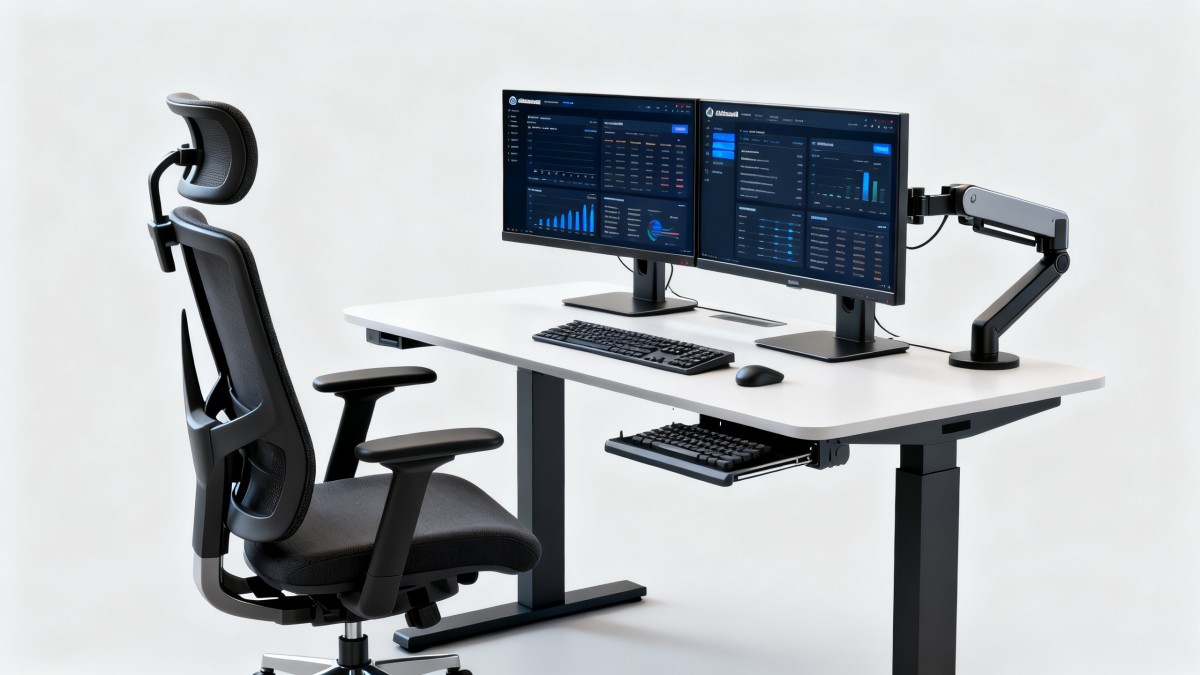
Fatigue at work is rarely caused by workload alone. In many offices, control rooms, service centers, and hybrid workstations, the real problem is static posture. When operators sit too low, reach too far, or look down at a screen for hours, muscles stay tense and circulation slows.
Ergonomic office furniture reduces that strain by aligning the body with the task. A chair with lumbar support helps maintain the spine’s natural curve. An adjustable desk allows better elbow angle and shoulder position. Proper monitor height reduces neck flexion and eye stress.
For users and operators, this is not only a comfort issue. It affects concentration, error rates, shift endurance, and daily output. In cross-sector workplaces, from trade administration to customer support and logistics coordination, even small layout improvements can reduce end-of-day exhaustion.
- Less musculoskeletal strain in the neck, shoulders, lower back, and wrists.
- Fewer posture changes caused by discomfort and pressure points.
- Better task continuity for operators who need sustained attention.
- Improved consistency in environments where screen time dominates the workday.
What kind of fatigue does poor workstation design create?
Work-related fatigue usually builds in layers. Physical discomfort starts first, then mental focus declines, and finally productivity drops. When office furniture does not fit the user, workers often compensate unconsciously by leaning forward, raising shoulders, or twisting the torso.
That compensation increases energy use. Over time, it can contribute to stiffness, headaches, hand numbness, or lower-back soreness. Ergonomic office furniture addresses these risks before they become routine workplace issues.
Which ergonomic office furniture matters most in daily operations?
Not every workspace needs the same upgrades at the same time. However, several furniture categories have a direct impact on fatigue reduction. The key is to match the furniture to work duration, movement pattern, and task intensity.
The table below compares common ergonomic office furniture types and the fatigue issues they are most suited to address in general business environments.
This comparison shows that fatigue reduction is usually cumulative. A chair alone helps, but the combination of seat support, desk height, and monitor placement often creates the most noticeable difference for operators working long shifts.
Why chairs are usually the first priority
An ergonomic chair is often the most practical first investment because it affects the body’s base position. If the pelvis is unsupported or the seat depth is wrong, the rest of the workstation becomes harder to optimize. For businesses with limited budgets, chair quality usually has the fastest visible impact.
How should buyers evaluate ergonomic office furniture before purchase?
Many buyers focus on appearance, price, or generic product labels. That often leads to mismatched purchases. The better approach is to assess fit, adjustability, material durability, and compatibility with real working habits.
The following table can be used as a practical procurement guide when comparing ergonomic office furniture for multi-user office environments.
A structured evaluation reduces the risk of buying furniture that looks ergonomic but offers only limited adjustment. For operators who share workstations, flexibility is often more valuable than premium finishes.
A simple buying checklist for users and operators
- Identify how many hours the workstation is used per day and whether shifts rotate between users.
- Record the most common discomfort points, such as neck strain, wrist pain, or lower-back fatigue.
- Check whether existing desks and monitor positions can support ergonomic adjustments.
- Compare supplier support on lead time, replacement parts, and installation guidance.
Are expensive solutions always better than practical ergonomic upgrades?
Not necessarily. Some fatigue problems can be solved with targeted changes rather than a full workstation replacement. In many offices, an adjustable monitor arm, a better chair, and keyboard repositioning provide strong returns without major renovation.
The table below outlines a realistic cost-and-alternative view for organizations weighing budget limits against operator comfort improvements.
For many businesses, the best solution is phased implementation. That approach reduces budget pressure while allowing teams to validate whether each ergonomic office furniture upgrade actually reduces fatigue in daily work.
Common procurement mistakes
- Buying fixed-dimension furniture for shared workstations with different body sizes.
- Choosing based on visual design while ignoring adjustment controls and support geometry.
- Assuming “ergonomic” on a product listing guarantees measurable workplace fit.
- Skipping after-sales questions such as parts replacement, installation guidance, and delivery timing.
What standards, compliance points, and practical checks should be considered?
In global sourcing, compliance does not only apply to electronics or machinery. Office furniture buyers also need to consider general safety, durability, material performance, and workplace suitability. Exact certification needs vary by market, but a practical review process still matters.
Common reference points may include stability testing, load-bearing claims, surface durability, fire-related requirements in certain sectors, and material disclosure expectations. Buyers should ask suppliers for clear technical documentation instead of relying on broad marketing descriptions.
- Request dimensional drawings and adjustment ranges for chairs and desks.
- Confirm packaging, assembly method, and spare component availability for export handling.
- Check whether materials and finishes suit local climate, cleaning routines, and use intensity.
- Review warranty terms in relation to heavy daily use rather than occasional home-office use.
This is where market intelligence becomes valuable. GTIIN and TradeVantage support buyers and exporters by connecting procurement decisions with broader supply-chain visibility, sector updates, and sourcing context across more than 50 industries. That helps companies compare furniture options with better awareness of supplier positioning, market movement, and documentation quality.
How can companies implement ergonomic office furniture without disrupting operations?
A successful rollout is not only about product delivery. It requires workstation assessment, user feedback, installation timing, and adjustment training. Even good ergonomic office furniture can underperform if users do not know how to set it correctly.
Recommended implementation process
- Map workstation types by role, such as document processing, monitoring, customer support, or managerial use.
- Prioritize teams with the highest seated time or the most frequent fatigue complaints.
- Run a pilot area before full rollout to confirm adjustment range, comfort, and space fit.
- Provide simple setup guidance so operators can personalize seat height, backrest support, and monitor level.
- Review feedback after several weeks and refine future procurement decisions.
This phased method is especially useful for companies managing distributed offices or international sourcing. Through TradeVantage, businesses can also track supplier visibility, trade-related developments, and industrial trends that affect procurement timing and partner evaluation.
FAQ: what do users and operators usually ask about ergonomic office furniture?
How do I know whether ergonomic office furniture is actually needed?
If workers regularly report neck pain, lower-back discomfort, wrist strain, or afternoon fatigue after desk work, the workstation likely needs review. You do not need severe symptoms to justify change. Reduced comfort often appears before major performance loss.
Is a sit-stand desk better than an ergonomic chair?
They solve different problems. A chair improves seated support and posture control. A sit-stand desk reduces long periods of static sitting. If budget allows only one first step, many organizations start with chairs, then add adjustable desks where long seated time remains a major issue.
What should buyers ask suppliers before placing an order?
Ask for adjustment dimensions, material details, packing method, lead time, replacement parts support, and recommended user height range. For larger projects, also confirm installation requirements, mixed-model availability, and whether samples can be reviewed before volume procurement.
Can ergonomic office furniture help in shared or rotating workstations?
Yes, but adjustability becomes critical. Shared workstations should favor quick-control features such as seat height levers, armrest changes, and easy desk elevation. Fixed designs often fail because they fit only one user profile well.
Why choose us for market insight and sourcing support?
Choosing ergonomic office furniture is not just a product decision. It is a sourcing, comparison, and risk-control decision shaped by budget, delivery schedules, documentation quality, and evolving workplace needs. GTIIN and TradeVantage help businesses approach that decision with stronger market visibility and clearer supplier context.
Our value lies in connecting industrial intelligence with practical commercial action. Across 50+ sectors, we provide real-time updates, market analysis, and a high-authority visibility platform that helps exporters and importers strengthen partner evaluation, brand exposure, and trust in international trade channels.
- Consult us to compare ergonomic office furniture sourcing options across supplier categories and market segments.
- Discuss product selection factors such as adjustment range, usage scenario, and workstation compatibility.
- Ask about lead time planning, documentation review, and communication points for global procurement.
- Explore support for brand exposure, industry visibility, backlink opportunities, and trust-oriented digital presence.
If you are evaluating ergonomic office furniture for fatigue reduction, we can help you move from broad product claims to informed decisions. Reach out to discuss parameter confirmation, product selection, delivery timing, custom sourcing paths, sample coordination, certification-related questions, and quotation communication aligned with your market goals.
 Which global manufacturing trends by sector matter most for sourcing plans?Global manufacturing trends by sector: identify sourcing risks, supplier resilience, compliance demands, and cost drivers to build smarter, more reliable procurement plans.
 What industrial trade intelligence pricing should include before you subscribeIndustrial trade intelligence pricing explained: compare coverage, data quality, access rights, and workflow value before choosing a subscription that supports smarter trade decisions.
 How an industrial trade intelligence dashboard can identify new supplier marketsDiscover how an industrial trade intelligence dashboard helps identify new supplier markets by comparing capacity, landed cost, logistics resilience, and compliance risk.
 Which global market entry barriers should exporters assess first?Global market entry barriers exporters should assess first: tariffs, compliance, buyer qualification, logistics, and payment risk. Build a practical strategy for confident market entry.
 How trade data aggregation analytics can reveal emerging supplier marketsTrade data aggregation analytics reveals emerging supplier markets by connecting trade flows, capacity signals, logistics, and compliance insights for smarter sourcing decisions.
 When an export market analysis platform can validate demand in a new marketExport market analysis platform insights help validate new-market demand through buyer fit, regulations, logistics, competition, and profitable entry conditions.
 What is driving the beauty and personal care market in the USA?Beauty and personal care in USA is driven by targeted solutions, selective premiumization, digital discovery, clean-label trust, diverse needs, and compliance. Explore key growth opportunities.
 How trade flow monitoring reports reveal changing regional demandTrade flow monitoring reports reveal changing regional demand through import volumes, sourcing shifts, product mix, logistics signals, and regulatory trends. Explore actionable market insights.
 How international market intelligence for investors reduces market-entry riskInternational market intelligence for investors reduces market-entry risk by validating demand, regulations, logistics, and competition before capital is committed.
 How international sourcing intelligence helps identify supplier risk earlyInternational sourcing intelligence helps businesses spot supplier risks early, protect supply continuity, and make smarter global procurement decisions.
 How trade data aggregation analytics reveals emerging supplier marketsTrade data aggregation analytics reveals emerging supplier markets through export trends, input flows, logistics, and regulatory signals. Discover smarter sourcing insights.
 What industrial cluster monitoring in Vietnam reveals about site riskIndustrial cluster monitoring Vietnam reveals hidden site risks across labor, utilities, logistics, compliance, and supplier dependencies. Make smarter sourcing and expansion decisions.
 Food Technology Trends Reshaping Shelf Life, Safety, and Product InnovationFood technology is reshaping shelf life, safety, and innovation. Discover the trends helping food businesses cut risk, improve compliance, and unlock stronger global market growth.
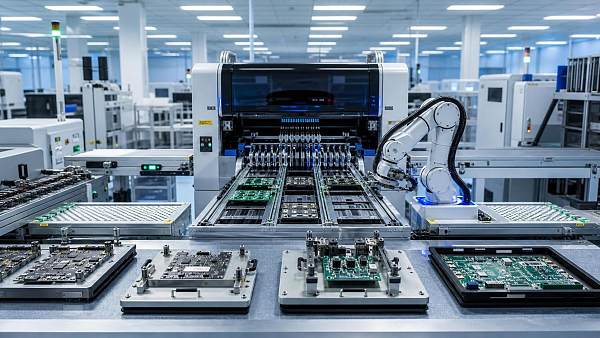
 How electronics manufacturing services are changing with low-volume demandElectronics manufacturing services are evolving fast with low-volume demand. Learn how agile EMS partners improve flexibility, compliance, sourcing resilience, and speed to market.
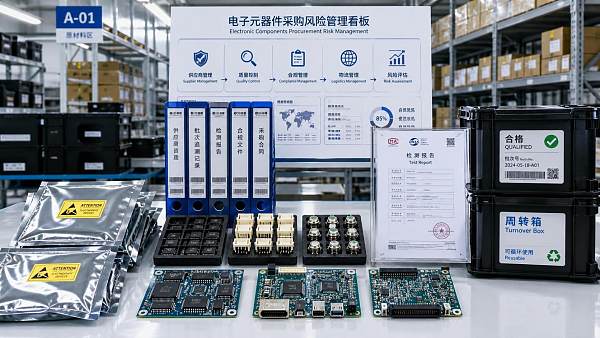
 How Can Buyers Reduce Procurement Risks for Electronic Components?How to reduce procurement risks for electronic components: learn how buyers assess traceability, lead times, compliance, and supplier types to avoid costly sourcing mistakes.
 What Sourcing Intelligence India Reveals About Supplier Risk and Cost ShiftsSourcing intelligence India reveals hidden supplier risk, compliance gaps, logistics pressure, and real cost shifts—helping buyers compare vendors smarter and source with more confidence.
 Fashion Trends 2026: Which Materials, Colors, and Silhouettes Are Gaining Ground?Fashion trends 2026 spotlight tactile fabrics, mineral colors, and controlled volume. Explore the materials, shades, and silhouettes shaping smarter, more wearable style.
 Smart Device Market Outlook: Key Growth Drivers, Segments, and Business OpportunitiesSmart device market trends are shifting toward system value, industrial demand, and resilient supply chains. Explore key growth drivers, high-potential segments, and business opportunities.
 How Global Trade Intelligence Services Help B2B Firms Evaluate Markets and SuppliersGlobal trade intelligence services help B2B firms compare suppliers, assess market potential, and uncover compliance, logistics, and pricing risks before costly decisions are made.
 Manufacturing Sector Updates for Investors: What Signals Matter Most in 2025?Manufacturing sector updates for investors in 2025: track orders, margins, supply chains, regulation, and exports to spot resilient manufacturers and smarter investment signals.
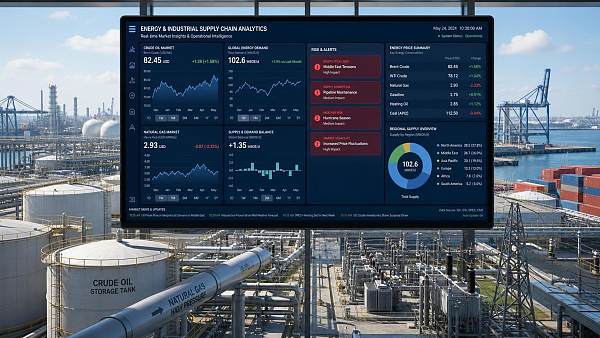
 How Energy Market Intelligence Helps Businesses Track Price Risks and Demand ShiftsEnergy market intelligence helps businesses spot price risks, demand shifts, and supply pressure early—improving procurement, resilience, and faster strategic decisions.














Global Trade Insights & Industry
Our mission is to empower global exporters and importers with data-driven insights that foster strategic growth.
Search News
Popular Tags
Industry Overview
The global commercial kitchen equipment market is projected to reach $112 billion by 2027. Driven by urbanization, the rise of e-commerce food delivery, and strict hygiene regulations.